WordPress Abilities API: A Practical First Integration
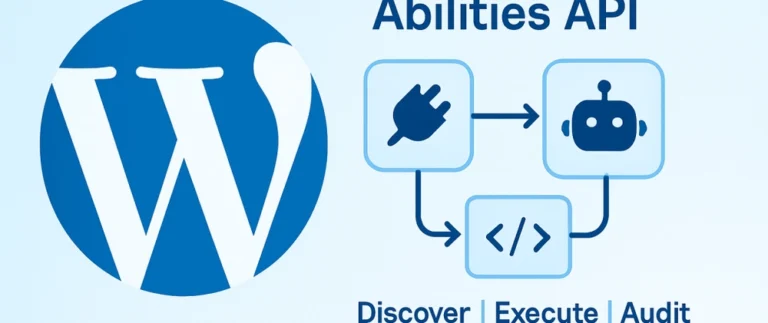
WordPress 6.9 added the Abilities API. Register a category and one ability, lock it with a permission check, then expose it to REST and AI agents.
What you get
A few a month. Unsubscribe from any email.
Sign upJournal
Notes from the WordPress themes, plugins, and web apps I build: what worked, what broke, and what I would do differently. New here? Start with a reading path below, or search every post.
Start here
Not sure where to begin? Pick the line that sounds most like you. Each path is three posts, read in order.
Learning to build sites, or running a business and want to understand yours.
For developers keeping up with core changes and the newer APIs.
How I use Claude Code and Cursor, and where I still check every line.
What to expect from a site, a theme, or outside help.
Concept sites built for real kinds of businesses, and where the code lives.
Beginner guides from my Power Platform years. The habits carry over.
Every post, newest first. Search by keyword, filter by topic, or press / to jump to search.
WordPress 6.9 added the Abilities API. Register a category and one ability, lock it with a permission check, then expose it to REST and AI agents.
After nearly five years of enterprise Power Platform work, I’m pivoting my content and personal projects back to modern custom WordPress development.
Page 3 of 3
WordPress first, but not only WordPress. Each topic below links to its full archive, so you can read one subject end to end.
Custom themes, blocks, plugins, release notes, and the updates that break things. The biggest topic here. Browse all WordPress posts.
PHP, JavaScript, CSS, accessibility, and the basics every site owner should know. Browse web development posts.
Using AI on the repeatable parts of a build, then reviewing every line before it ships. Browse AI posts.
How white-label and overflow work runs when you keep the client and I build. Browse collaboration posts.
Power Apps guides from before I came back to WordPress full-time. Still useful if you are learning Power Apps. Browse Power Platform posts.
Some posts also run on DEV.to, where developers comment and discuss them. Browse DEV.to posts.
Short answers to what people ask most about the Journal: who writes it, what it covers and how to keep up with new posts.
I do. I’m Matt Hummel, a full-stack WordPress developer in Gettysburg, PA. I build custom themes, plugins and web apps for small shops, inns, tour companies, real estate agents and agencies, and every post comes out of that work. No guest posts, no rewritten press releases.
WordPress is the core: custom themes, Gutenberg blocks, plugins and the updates that break them. Around that you’ll find general web development too, like PHP, JavaScript and CSS, accessibility, deployment with GitHub Actions, and how I use AI tools on real builds. The topic list has the full spread.
Two groups. Developers who want a fix that works on a real site, and the owners, marketers and agencies who hire developers and want to know what good work looks like before they pay for it.
Use the search box in the post list, or filter by topic. You can switch between grid and list view if you’re scanning for one title.
The easiest way is email: drop your address in the signup form and new posts come to you. If you’d rather use a feed reader, paste matthummel.com/feed/ into Feedly, NetNewsWire or whatever you already use. New posts also go out on Bluesky and LinkedIn, linked in the footer.
Yes. Send a note on the contact page with a link to the post or a few lines about the project. I usually reply within one business day (Eastern Time).