
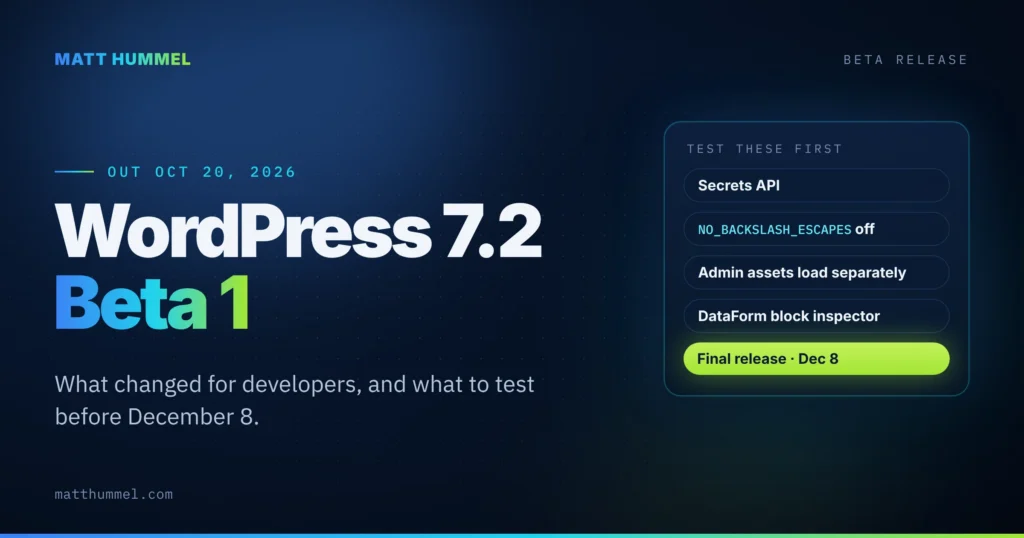
WordPress 7.2 Beta 1 came out on October 20, 2026. It’s a test build, not an update for live sites. If you build themes, plugins or custom blocks, load it on a staging or local site now. You have until the final release on December 8, 2026 to find what breaks.
This post covers what changed in Beta 1 specifically. For the bigger picture, see my WordPress 7.2 release guide.
WordPress 7.2 release schedule
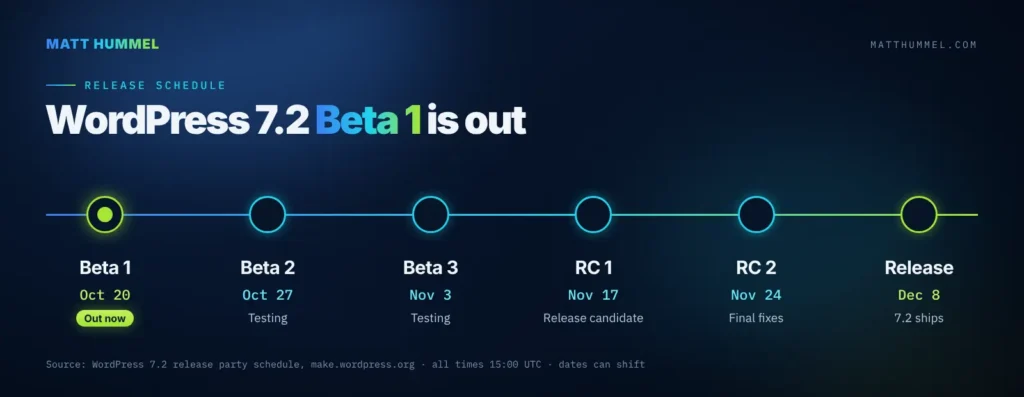
| Milestone | Date |
|---|---|
| Beta 1 | October 20, 2026 |
| Beta 2 | October 27, 2026 |
| Beta 3 | November 3, 2026 |
| Release Candidate 1 | November 17, 2026 |
| Release Candidate 2 | November 24, 2026 |
| Final release | December 8, 2026 |
Should you update live sites to WordPress 7.2 Beta 1?
No. Beta releases are for testing only and don’t carry security fixes for live sites. The latest stable release is still WordPress 7.1.3, a maintenance and security release from October 6, and that’s the version your live sites should be on. Here’s what 7.1.3 fixed.
What’s new in WordPress 7.2 Beta 1?
The headline changes are more responsive design controls, text shadows, a faster admin and a new Secrets API for developers. The full list:
- More responsive design controls. Viewport-specific styling now covers more design tools and blocks, including Gallery columns, image cropping and aspect ratios.
- Text shadow support. New text shadow controls in block settings, and you can define shadow presets in
theme.json. - Global Styles improvements. A new “Customized” filter shows which blocks have modified styles, inherited Global Styles values show up in the block inspector, and form elements can now be styled.
- Easier navigation editing. You can add, organize and edit menu items from the Site Editor sidebar.
- Notes upgrades. Notes move onto the editor canvas, get emoji reactions and a minimized mode, and can stay open alongside the block settings sidebar.
- Client-side media processing in the Media Library. Images can be resized, compressed and converted in the browser before upload, which helps on hosts with weak image processing.
- Faster admin. Admin scripts and styles now load individually instead of being concatenated, and a new prefetching mechanism loads the next likely admin screen in advance.
- Admin icon refresh. Dashicons in the admin bar and sidebar are being replaced with icons from the WordPress icon library.
- New “On This Day” dashboard widget that surfaces posts published on the same date in past years.
- Random content redirects. A dedicated URL sends visitors to a randomly selected post (Trac #64498).
- New default theme. Ipsum, a minimal blank-canvas blog theme, is planned to ship with 7.2. It also ends year-based default theme names.
What should developers test in WordPress 7.2 Beta 1?
Start with the database SQL mode change and the admin asset loading change. Those are the two most likely to break existing code. Then work down the list. Ticket links go to Trac, WordPress core’s bug tracker.
- New Secrets API. A standard way to store API keys and tokens, with encryption at rest, credential rotation and pluggable storage providers. If your plugins stash credentials in options, keep an eye on this (Trac #66187).
NO_BACKSLASH_ESCAPESis now turned off.wpdb::set_sql_mode()strips it from the session SQL modes. Most sites won’t notice. If you really need it, filterincompatible_sql_modes, but it has to go in adb.phpdrop-in because WordPress connects to the database before plugins and mu-plugins load. Example below.- Admin asset concatenation changes. Admin scripts and styles now load as separate files. If you have code that relies on load order or on the concatenated bundles, test your admin screens (Trac #57548).
- Dashicons replaced in admin chrome. If your plugin’s CSS targets admin bar or sidebar Dashicons, check it.
- DataForm-powered block inspector. Block settings get a new inspector built on DataForm. If you add custom
InspectorControls, test them against it. - Abilities API expansion with new ways to access and query WordPress data (Trac #66268).
- Interactivity API additions for rendering trusted HTML and handling reactive navigation (Trac #66246).
- HTML API and block supports updates to markup processing and responsive design tools.
- PHP: the beta announcement doesn’t mention a change to the minimum PHP version. The full field guide usually comes out around Release Candidate 1 (RC1), scheduled for November 17, so check back then for a complete list of deprecations.
If a site genuinely depends on NO_BACKSLASH_ESCAPES, this keeps it on. It goes in wp-content/db.php:
<?php
/**
 * Keep NO_BACKSLASH_ESCAPES enabled in WordPress 7.2+.
 * Must live in a db.php drop-in: WordPress connects to the
 * database before plugins and mu-plugins load.
 */
add_filter( 'incompatible_sql_modes', function ( $modes ) {
	return array_diff( $modes, array( 'NO_BACKSLASH_ESCAPES' ) );
} );
Only do this if you know you need it. Most sites are better off with the new default.
How do I test the beta?
Pick one of these, on a staging or local site with a fresh backup:
- WordPress Beta Tester plugin. Install it, then choose the Bleeding edge channel and the Beta/RC Only stream.
- WP-CLI. Run the command below on the test site.
- WordPress Playground. Open the 7.2 Beta 1 instance in your browser. No setup, nothing to break.
wp core update --version=7.2-beta1Beta 2 is scheduled for October 27. Found a bug? Report core issues on WordPress Trac and editor issues in the Gutenberg GitHub repository. The Help Test WordPress 7.2 post covers each feature in more detail.
WordPress 7.2 FAQ
When is WordPress 7.2 released?
December 8, 2026, at 15:00 UTC. Two more betas (October 27 and November 3) and two release candidates (November 17 and November 24) come first.
What is the WordPress Secrets API?
A new core API for storing API keys and tokens. It encrypts them at rest, supports credential rotation and lets you plug in your own storage provider. It’s in Beta 1 for testing (Trac #66187).
Does WordPress 7.2 raise the minimum PHP version?
The Beta 1 announcement doesn’t mention a change. Check the WordPress 7.2 field guide, which usually comes out around RC1 on November 17.
Where do I report a beta bug?
Core bugs go on WordPress Trac. Editor bugs go in the Gutenberg GitHub repository. To talk an issue through first, use the #core-test channel in the Making WordPress Slack.
Before December 8
Test now, while there’s still time to fix things. My WordPress release tracker follows 7.2 through release day, and it has the free 30-check checklist I run on client sites before every major update.
Sources
This roundup is based on the official 7.2 Beta 1 announcement and Make Core dev notes.
- WordPress 7.2 Beta 1 is Ready for Download and Testing (WordPress News)
- NO_BACKSLASH_ESCAPES SQL mode is now turned off by default in WordPress 7.2 (Make Core dev note)
- WordPress 7.2 Release Party Schedule (Make Core)
- Introducing Ipsum, the new default theme (Make Core)
- Help Test WordPress 7.2 (Make Test)

Comments
No comments yet. ASCII, code, and plain punctuation are welcome.