
I’ve been building websites for about 17 years, and for most of that time my toolkit barely changed. Now it changes every few months. The biggest shift is AI, and the thing I’ve learned is that one AI tool isn’t enough. Each one is good at different jobs, and each one has blind spots. That’s why my AI workflow for WordPress development uses several tools, each with a clear job.
So I treat them like a small team. One acts as a senior developer, another as a code reviewer, another as an accessibility expert, and a couple more help with marketing and blogging. This post is my AI workflow for WordPress development on a Mac: the tools I use, what each one is for, and the links I keep handy.
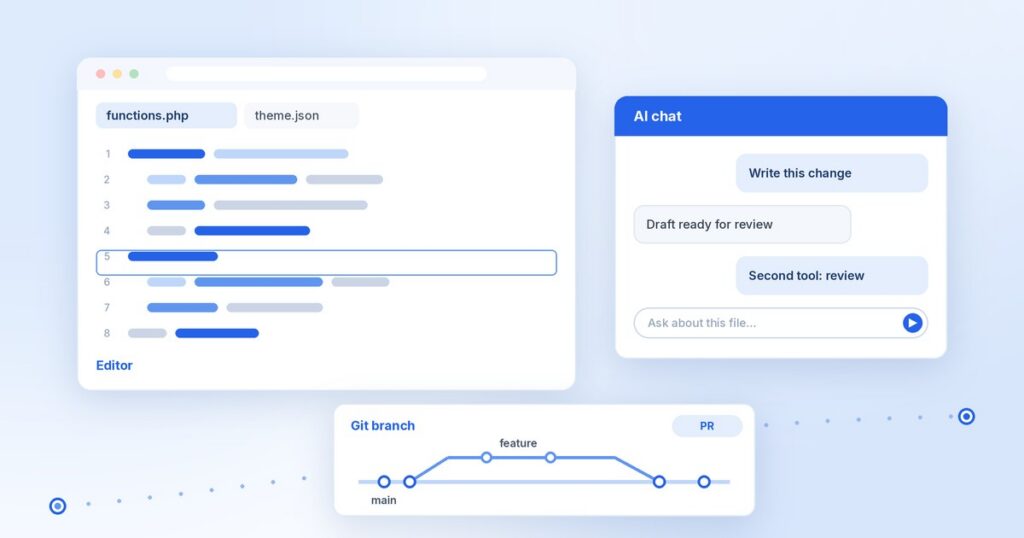
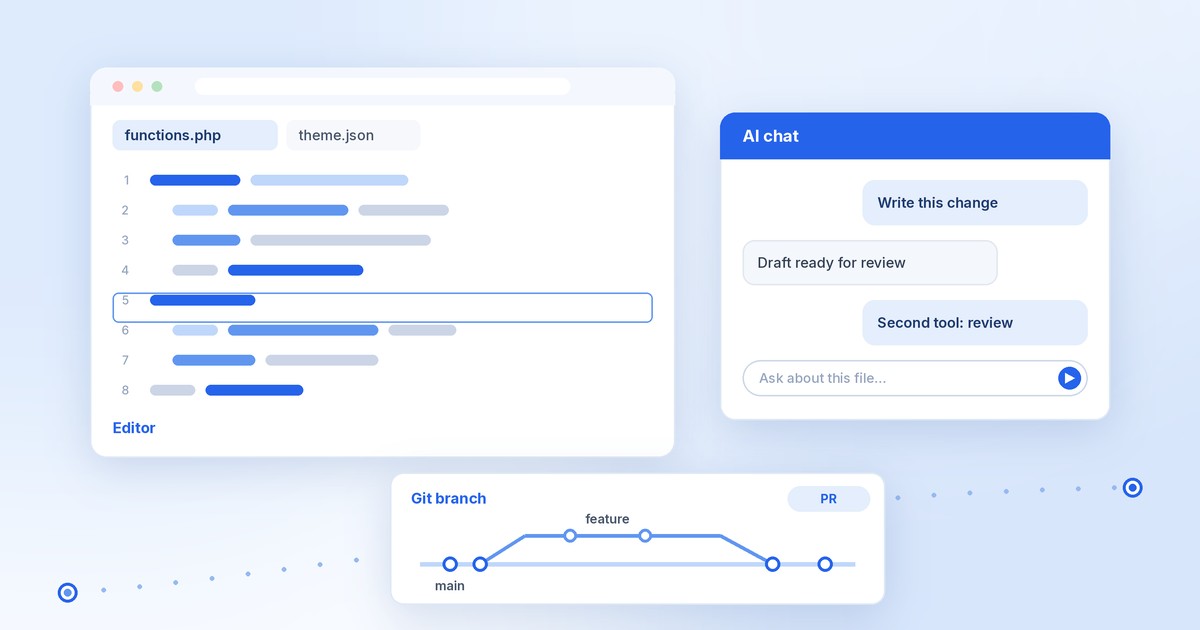
The one rule that holds it all together: one tool writes, a different tool reviews, and you approve anything that ships.
Which AI tool does what
Here’s the short version of who does what. For a deeper look at each tool’s strengths and weak spots, see what AI speeds up, and what it can’t below.
| Tool | What I use it for |
|---|---|
| Cursor | Coding in the editor, multi-file theme refactors, Cloud Agents for background tasks, and Bugbot for PR review. |
| Claude Code | Big terminal jobs, long refactors, subagents and hooks, and CI reviews (overview). |
| Grok Bot | My ops helper: scheduled routines, Gmail/Slack/Notion plugins, WordPress MCP tasks, and research. |
| ChatGPT | Marketing copy, brainstorming, and Projects plus custom GPTs for brand voice. |
| Codex (optional) | A second-opinion reviewer when Claude or Cursor wrote the code. |
Whichever tool writes the code or the copy, a different one reviews it. Then I read it and decide. Nothing goes to a client, a live site, or a theme release without that last step.
How a task moves through my AI workflow for WordPress development
Here’s how a typical change goes, from the first prompt to the release. The same steps work for a theme feature, a plugin fix, or a client site update.
- Start on a Git branch. Each change gets its own branch, so the main branch stays clean and I can throw away anything that doesn’t work.
- Write the change with one AI tool. Cursor or Claude Code does the first draft in the editor, following the rules file in the repo.
- Let the automatic checks run. Hooks run PHPCS and the linters after each edit, so style problems and simple mistakes show up right away.
- Open a pull request and have a second tool review it. The reviewer is never the tool that wrote the code.
- Test it on a local site. I click through the change, use the keyboard only, and check it with VoiceOver when it affects the front end.
- Read the diff and approve it myself. If I can’t explain a line, it doesn’t get merged.
Several of these steps run on their own once they’re set up. The parts that need me are the request at the start and the decision at the end.
My Mac setup for AI-assisted WordPress work
This is the setup I use on my Mac. The goal is simple: I can rebuild it quickly, and AI agents can run real commands instead of guessing.
- Install your dev tools with Homebrew so any machine can be rebuilt with one script.
- Manage Node versions with nvm and PHP packages with Composer.
- For quick local sites, use WordPress Studio or LocalWP. Use wp-env (runs on Docker) when you need setups you can repeat and test.
- Add WP-CLI and GitHub CLI so AI agents can run commands without clicking around.
- Install Claude Code in the terminal, next to Cursor.
- Try new themes in throwaway WordPress Playground sites before touching real ones.
AI as a senior developer and pair programmer
This is where most of my day-to-day work happens, whether it’s a block theme or a business site. The trick is giving the AI the same standards you’d give a new teammate.
- Keep a rules file in every repo: .cursor/rules for Cursor and CLAUDE.md for Claude Code. Use the same WordPress standards in both.
- In those rules, point to the WordPress Coding Standards and require PHPCS/WPCS to pass.
- Give the AI the theme.json reference and schema so it stops making up settings.
- Build block themes visually, then export clean files with Create Block Theme.
- For classic and Sage builds, include the classic themes handbook and Sage docs as context.
- Connect WordPress to AI tools over MCP (Cursor MCP, WordPress MCP Adapter). Only connect staging sites. To expose your own site features safely, start with my WordPress Abilities API guide.
- Before you release a theme, run Theme Check and go through the required review list.
I used Cursor, Git, and AI to ship my first plugin to the WordPress.org directory. I wrote up that process, step by step, in how I published my first WordPress.org plugin with Cursor, Git, and AI.
AI as an expert code reviewer
The review step matters most. An AI reviewing its own code tends to agree with itself. A second tool catches different things.
- Never merge code the same AI wrote. Have a second tool review the PR (for example, Claude writes and Cursor Bugbot reviews, or the other way around).
- Add Claude Code GitHub Actions so every PR gets an automatic
@claudereview. - Make a “WP security reviewer” subagent that checks escaping, sanitizing and nonces.
- Use Claude Code hooks to run PHPCS and linters automatically after each edit.
- Run static analysis: PHPStan with phpstan-wordpress, plus wp-scripts lint for JS and CSS.
- Check security reviews against the OWASP Top 10 and the WP security handbook.
- Ask the reviewer to say how serious each problem is and to show the exact line.
AI as a web accessibility expert
I started in higher-ed marketing and later did SharePoint and Power Platform work for enterprise clients, so accessibility has always been part of the job for me. AI can help here, but it can’t be the final word.
This is the part of my workflow that needs the most hands-on testing. The same goes for plugins that promise to fix accessibility for you. I explain why in a WordPress accessibility plugin won’t make your site accessible.
- Aim for WCAG 2.2 AA. Keep the quick reference and what’s new in 2.2 open.
- Never trust an AI that says “this is accessible.” Always test it yourself, with tools and by hand.
- Automated checks: axe DevTools, WAVE, Lighthouse.
- Put Pa11y CI in your build so accessibility bugs fail it.
- Manual testing: use only the keyboard (WebAIM guide), then VoiceOver on Mac.
- Copy custom widgets from the ARIA Authoring Practices patterns, not from the AI’s memory.
- Meet the accessibility-ready theme rules. If you sell themes, it’s a strong selling point.
AI as a marketer and SEO writer
AI is useful for first drafts of marketing and SEO copy. The facts, results, and final wording still need to come from you.
- Write for people first, following Google’s helpful content guide (E-E-A-T).
- Using AI is fine, but mass-produced, low-value content isn’t. See Google on AI content.
- Let AI draft outlines, meta descriptions and FAQs. You add the real results, numbers and screenshots.
- Add structured data with Rank Math or Yoast, then test it with the Rich Results Test.
- Keep theme demos fast. Check Core Web Vitals on PageSpeed Insights.
- Save brand voice, audience and product facts in a ChatGPT Project so the copy stays consistent.
AI as a web-dev blogger
The same writer-and-reviewer rule applies to blog posts. These are the habits I follow.
- Publish on your own site first. Everything else links back there.
- Cross-post to Dev.to with
canonical_urlset in the front matter (editor guide). It follows Google’s canonical approach. - Write from your real client and theme work. AI can tidy it up, but it shouldn’t invent experience.
- Test every code snippet in a local site before you publish.
- Have one AI edit for clarity and a second one fact-check versions and links.
- Set up a Grok Bot routine to draft weekly topic ideas from WordPress release news. You pick and write.
Where AI still gets WordPress wrong
Even with good rules files, the tools make the same kinds of mistakes again and again. Knowing them makes the review step faster.
- Settings and functions that don’t exist. It will suggest theme.json keys, hooks, or function names that look right but aren’t real. Check them against the theme.json reference and the WordPress Code Reference.
- Old patterns. Suggestions can be based on older code, such as deprecated functions or classic theme habits in a block theme.
- Missing security steps. Output without escaping, and form handling without nonces or capability checks, are common. This is what the security reviewer subagent is for.
- Accessibility claims without testing. “This is accessible” means nothing until you’ve tested it with a keyboard and a screen reader.
- Confident answers about versions. Ask for a link to the source, then open it and check.
None of this means the tools aren’t useful. It means the review and your own testing can’t be skipped.
What AI speeds up, and what it can’t
AI shrinks the repeat work I already know how to check. Renaming an ACF field, adding a Vite entry point, drafting a standard Blade loop, filling out a GitHub Actions workflow: these follow known patterns, so I can check the output against a pattern I already know. That is where most of the speed comes from.
Judgment stays with me. Which plugin stays? Can a client editor safely change this layout field? Does this color pass contrast checks? A model makes its best guess. I make the call. If I can’t explain every line at handoff, it doesn’t ship.
| Tool | Best for | Weak at | Human step I never skip |
|---|---|---|---|
| Cursor | In-repo scaffolding, Blade templates, PHP helpers, refactoring | Inventing WordPress APIs or using old package syntax | Reading diffs line by line and testing in a real WordPress install |
| ChatGPT / Claude | Copy edits, planning outside the repo, regex | No direct view of the codebase; drifts into generic agency voice | Checking facts, fixing tone, cutting fluff |
| n8n | Routing form submissions and webhooks | Fails quietly if an outside service rate-limits or changes | A wp_mail fallback and watching the logs |
| Vite | Asset bundling and hot reload | Needs exact entry points in custom themes | Checking bundle size and the built output in a browser |
| GitHub Actions | CI/CD, running Composer, building release zips | Broken builds from PHP or Node version mismatches | Managing secrets and controlling production triggers |
| MCP | Giving agents scoped access to tools like a database or terminal | Too much write access or leaked credentials | Keeping scopes narrow and approving every write by hand |
What I still do by hand
- Architecture: deciding how the system fits together, and what not to build.
- Security: permissions, nonces, and what MCP servers are allowed to touch.
- Code review: reading every line in a pull request, not just the summary.
- Testing: checking real pages on desktop and mobile.
- Accessibility: contrast, ARIA labels, heading order, and keyboard focus.
- Going live: the final OK for every production release.
Common questions about this AI workflow for WordPress development
Do I need every tool on this list?
No. Start with one tool that writes and a different one that reviews, and keep the final decision for yourself. Add the others when you have a clear job for them.
Is it safe to connect AI tools to a live WordPress site?
My advice is to connect only staging sites over MCP. Changes that reach a live site should go through the same review, testing, and approval as code.
Does this work on Windows or Linux?
I work on a Mac, so that’s what I’ve written about. Cursor, Claude Code, WP-CLI, and wp-env are also available on Windows and Linux, so most of this carries over. VoiceOver is Mac-only. On Windows, NVDA is a free screen reader you can test with.
Pre-ship checklist
This checklist is the last step. Before anything goes live, whether it’s a theme release, a client site, or a blog post, I run through this:
- A different AI tool reviewed what the first one wrote.
- PHPCS/WPCS, PHPStan and wp-scripts lint pass.
- Escaping, sanitizing and nonces are checked.
- Automated accessibility checks pass (axe, WAVE or Pa11y CI).
- Keyboard-only and VoiceOver testing done by hand.
- Theme Check and the required review list are clean (for themes).
- Core Web Vitals look good on PageSpeed Insights.
- Structured data passes the Rich Results Test.
- Every code snippet was tested on a local site, and every link was checked.
- I read it and approved it myself.
Wrapping up
None of these tools replace judgment. They make me faster, and having more than one of them keeps me honest. That’s the whole idea. Start with one writer, one reviewer, and your own final say, then add the rest as you need it.
I build custom WordPress sites and themes. If you run an agency and need extra hands, here’s how white-label overflow work with me goes. If you’d like help with a WordPress project, get in touch.
I write about modern WordPress development, AI tools, and building plugins. Follow me on DEV.to or GitHub, or subscribe with the RSS feed.
Links checked September 2026.

Comments
No comments yet. ASCII, code, and plain punctuation are welcome.