
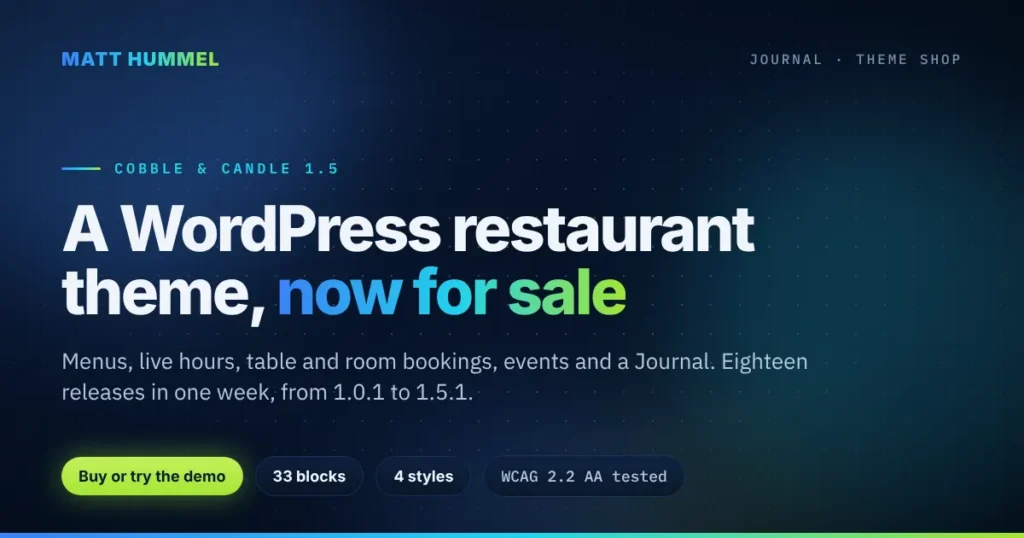
I now sell WordPress themes on matthummel.com. The first one is Cobble & Candle, a WordPress restaurant theme that also runs inns, taverns and B&Bs. When I wrote about it in October, it was version 1.0 and not for sale. A month later it is version 1.5.1, it has a yearly license, and you can buy it, try the demo, or ask me to set it up for you. This post covers what changed and what you get.
Why sell themes on my own site
Most WordPress restaurant themes on the big marketplaces ship a page builder, static hours and a third-party booking widget. I built Cobble & Candle to do the opposite: hours are data, menus are data, bookings are native, and everything is edited in the WordPress Site Editor. Selling it myself means I set the price, answer the support email, and ship an update the same day I fix something. Payment, license keys and updates run through Freemius, so you get a receipt and a key the moment you buy.
I build in public. The code is on GitHub, the live demo runs the same zip buyers get, and every release goes through automated install tests before it is published.
What changed in Cobble & Candle since October
Eighteen releases of the WordPress restaurant theme went out between November 1 and November 8, from 1.0.1 to 1.5.1. Here is what they add, grouped by who it helps.
For your guests
- Menus guests can use. Search the menu, hide dishes that contain an allergen, switch between a list and a photo layout, and print a clean black-and-white menu. Every dish can carry the nine major allergens, calories and a “Sold out today” flag.
- Event pages, rebuilt. Key facts up top, a booking card that stays beside the page, ticket links that name the service (Eventbrite, Meetup, Luma and others), or sign-ups on your own page counted against your seats. Events can be marked cancelled, postponed or sold out, and the page says so.
- Rooms that answer questions. A photo mosaic, an at-a-glance strip for check-in and check-out, house rules, a cancellation note, nearby places with walking times and a FAQ, all next to the booking card.
- A real Journal. A full blog with a featured post, search, categories, press quotes and diner write-ups, a reading-progress bar and a “Reserve a table” card on every post.
- Newsletter sign-ups and share buttons. A subscribe form in the Journal and anywhere you drop the Newsletter block. It can send to Mailchimp, Brevo, MailerLite, Kit, Buttondown, or keep a list on your own site. Share buttons use inline icons, so no icon font or extra script loads.
- Announcement bar. One line above the header for holiday hours or a closure, with optional start and end dates.
What this means for you: fewer “are you open?” calls, fewer allergy questions at the table, and a site that gives guests a reason to come back.
For you, the owner
- One Theme Settings screen. The setup wizard and the old settings pages are now one place: Brand, Look, Fonts, Content, Pages & menus, then a live checklist that shows what is done and what is left, with a “Fix this” link on each item.
- Plain edit forms. Adding a dish, an event or a room is a simple form, not the block editor. Photo, summary, description, then the details in groups you can open and close.
- Your look, your fonts. Colour pickers for every style, an accent colour with a readability check, and Google Fonts served from your own site rather than Google’s servers.
- Works with the services you already use. OpenTable, Resy, SevenRooms, Tock, Toast, Square, ChowNow, DoorDash, Uber Eats and more. Pick the service and the button is named after it. Connect Eventbrite and your events import themselves.
- Payments accepted and legal links. Tick the payment methods you take and they show in the footer and on each location page. The footer picks up your privacy policy and terms automatically.
- Support inside WordPress. A Support tab reads the owner guides straight from the documentation site, and a ticket form sends me the details I need, including an optional system report.
- Back up and move your settings. Download your Theme Settings as a file and load them on another site.
- Demo content with photos. One click adds 45 sample dishes, locations, events, rooms, a 14-post Journal and a gallery, all with public-domain photos, so the site never looks empty while you work on it.
What this means for you: you can set up and run the site yourself. You do not need a developer to change a price, add an event or swap a photo.
For search engines and accessibility
- Structured data now covers blog posts, event status and ticket types, calories on menu items, sold-out dishes and accepted payments per location. It still joins the Yoast or Rank Math graph when one is active.
- A public JSON menu feed for ordering apps, menu boards and kiosks.
- Click tracking on tickets, sign-ups, calls and shares sends events to Google Tag Manager’s data layer. I shipped the markup in October and the listener in November, so this one is a fix as much as a feature.
- Three accessibility releases from an axe, keyboard and Lighthouse audit against WCAG 2.2 AA: one page header per page, 24-pixel targets, reduced-motion fixes, and text contrast measured on real pixels in all four styles.
Under the hood
- 33 custom blocks, 13 patterns, 15 templates and four style variations. In October it was 28, 8 and 13.
- A preflight check runs before the theme loads. On a host that cannot run it, you see a plain explanation in wp-admin instead of a white screen, and visitors get a proper 503.
- Every pull request builds the install zip and installs it in clean WordPress sites on PHP 8.3 and 8.4. A release only ships if that passes.
- The Cobble & Candle Core plugin holds all your content, so a theme switch never deletes a menu. The theme tells you when Core needs updating and installs the bundled copy in one click.
- Two security reviews of the new Support tab and ticket form, with the fixes in 1.4.2 and 1.4.3.
What does this WordPress restaurant theme cost
It is a Pro theme with a yearly license. The license pays for updates and email support; the code itself is GPL. Plans start at $59.99 a year for one site, with 5-site and unlimited-site plans for agencies. If it has a bug or problem I cannot fix, you get a refund within 30 days. Prices and the Buy buttons are on the theme page.
What it does not do yet
- Room and table bookings are requests you confirm. There are no card payments on bookings, by design, so there are no refunds to manage either.
- There is no free version on WordPress.org. Pro only, for now.
- It is a new product. There are no customer reviews yet. What you can check instead is the demo, the code, the changelog and the test runs on GitHub.
- It needs PHP 8.3 or newer. Most good hosts have it; some budget hosts do not.
Who is this theme for
Buy this WordPress restaurant theme if you run a restaurant, tavern, inn or B&B and want a site you can keep current yourself. Buy the agency plan if you build hospitality sites for clients and want menus, hours and bookings that do not break. If you would rather not touch WordPress at all, tell me about your place and I will set it up for you.
Common questions
Do I need a page builder
No. This WordPress restaurant theme is edited in the Site Editor and the plain forms the theme adds. No Elementor, no ACF, no jQuery.
Can I keep my current booking system
Yes. Each location can use the built-in request form, a service like OpenTable or Resy, or call-to-book. Rooms sync both ways with Airbnb, Booking.com and Vrbo calendars.
What happens when my license ends
Your site keeps working. You stop getting updates and support until you renew.
Will there be more themes
Cobble & Candle is the first. I have two more themes built as sample work, WalkRidge for tour companies and Acreline for real estate agents. They are not for sale yet. If you want one of them for your site, ask.
See it, try it, or ask
Open the live demo and switch between the restaurant, tavern and B&B versions from the bar at the top. Read the full changelog if you want every detail. Then buy the WordPress restaurant theme on its page, or send me a note and I will answer within one business day.

Comments
No comments yet. ASCII, code, and plain punctuation are welcome.