
My AI WordPress workflow helps me finish the parts of a custom build that I already know how to check. It does not replace the check.
Here is my setup. I use Cursor inside a Sage (Roots) theme repo. I use ChatGPT and Claude for copy and planning. n8n handles form submissions. Vite builds the assets, and GitHub Actions packages the theme. Boilerplate and first-draft Blade templates now come back much faster. Architecture, testing, and the final “yes” are still my job.
How this post fits in: This is a tool-by-tool breakdown of strengths, costs, and human steps. For the full day-to-day loop, read my AI workflow for WordPress development on a Mac.
What “fast” really means in custom development
“Fast” is easy to sell. In real work, it means something smaller: less time spent on work that does not need a human rewrite.
I won’t claim AI makes me 10x faster. I won’t claim every project ships sooner, or that a model “wrote the site.” The real benefit is simple. Repeat work shrinks, and I still own the result.
1. Repeat work gets smaller
Renaming an ACF field. Adding a new Vite entry point. Drafting a standard Blade loop. Filling out a GitHub Actions workflow. These tasks follow known patterns. AI does well here because I can check the output against a pattern I already know.
That is where most of the speed comes from. It is real, but it is also easy to oversell.
2. Judgment stays with the developer
Which plugin stays? Can a client editor safely change this layout field? Does this color pass contrast checks? Does this webhook belong in the stack? Those are judgment calls. A model makes its best guess. I make the call.
If I can’t explain every line at handoff, it doesn’t ship. The quality bar is the same as a traditional build. There is just less friction on the boilerplate.
The AI WordPress tool matrix
This is not a ranking. Each tool has its own job, its own trade-off, and a review step I never skip.
| Tool | Best for | Weak at | Human step I never skip |
|---|---|---|---|
| Cursor | In-repo scaffolding, Blade templates, PHP helpers, refactoring | Inventing WordPress APIs or using old package syntax | Reading diffs line by line and testing in a real WordPress install |
| ChatGPT / Claude | Copy edits, planning outside the repo, regex | No direct view of the codebase; drifts into generic “agency voice” | Checking facts, fixing tone, cutting fluff |
| n8n | Routing form submissions and webhooks | Fails quietly if an outside service rate-limits or changes | A wp_mail fallback and watching the logs |
| Vite | Asset bundling and hot reload | Needs exact entry points in custom themes | Checking bundle size and the built output in a browser |
| GitHub Actions | CI/CD, running Composer, building release zips | Broken builds from PHP or Node version mismatches | Managing secrets and controlling production triggers |
| MCP | Giving agents scoped access to tools like a database or terminal | Too much write access or leaked credentials | Keeping scopes narrow and approving every write by hand |
MCP stands for Model Context Protocol. WordPress now supports it through the Abilities API. I wrote a step-by-step Abilities API guide if you want to try it.
How I pick the right tool for each task
I start with the job, not the model:
- Editing files in the Sage theme: I open Cursor.
- Writing content or planning outside the code: I use ChatGPT or Claude.
- Handling form submissions: That is n8n’s job.
- Building assets and releases: That belongs to Vite and GitHub Actions.
- Connecting an agent to a tool: I turn on MCP only when the agent needs one narrow tool.
You don’t need all of these running at once. Pick the right tool for the step, then review the result right away.
How a change moves from brief to release
Every change follows the same short path. AI only works in the middle step. It never owns the start or the finish.
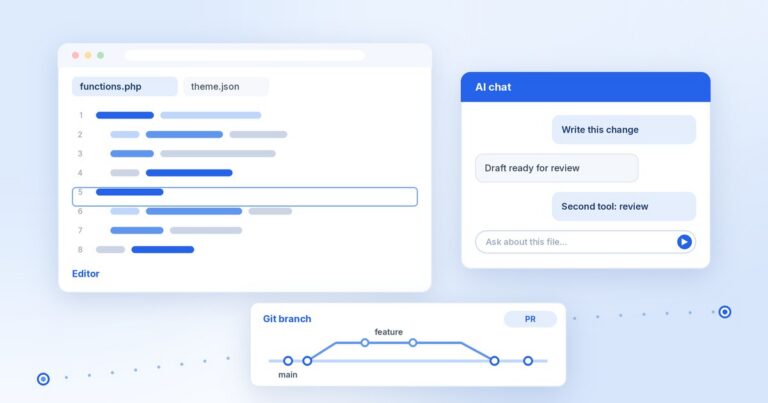
[ Brief ] → [ Cursor / AI draft ] → [ Human review ] → [ Vite + CI/CD ] → [ Handoff ]- Brief: A ticket or client note. I write the technical limits myself.
- Draft: Cursor scaffolds Blade components, PHP helpers, and CSS inside the Sage repo. ChatGPT or Claude help with ideas outside the repo.
- Review: I read the Git diff and run the code on a real local page. Made-up APIs, extra plugins, and fluffy copy get cut here.
- Build: I run
npm run buildlocally. Then GitHub Actions runs on every push tomain. It installs Composer packages, builds assets, and packages the release zip. The site runs on PHP 8.3, and I manage it with WP-CLI. - Handoff: I set up the admin fields the client will edit, write clear notes, and hand over the Git repo. If I can’t explain a piece of code, it doesn’t get handed off.
Where n8n fits: n8n stays outside the theme code. When someone submits a contact form, WordPress sends the data to an n8n webhook. If the webhook fails, WordPress sends the message with
wp_mailinstead. Automation handles the data after the form is sent. It never writes the theme.
What I still do by hand
On purpose, this list is longer than the automated one:
- Architecture: Deciding how the system fits together, and what not to build.
- Security: Permissions, nonces, and what MCP servers are allowed to touch.
- Code review: Reading every line in a pull request, not just the summary.
- Testing: Checking real pages on desktop and mobile.
- Tone: Making sure the copy sounds human and clear, not like AI filler.
- Accessibility: Checking contrast, ARIA labels, heading order, and keyboard focus. (Here is why an accessibility plugin can’t do this for you.)
- Going live: Giving the final OK for every production release.
I still keep plain VS Code around for editing without AI. It keeps my review skills sharp.
FAQ
Does AI write the PHP I ship?
It writes the first draft. I review it, test it, and ship it. Cursor, Claude, and ChatGPT help with boilerplate PHP and starting templates. But I own every line that reaches production.
Why is there no “best” tool in this list?
Because they do different jobs. Cursor edits code, ChatGPT and Claude help with thinking and writing, n8n routes form data, and GitHub Actions builds releases. Ranking them would be like comparing apples to build servers.
Will an AI workflow replace a developer?
No. Writing repeat code got cheaper. Good judgment did not. When you hire an experienced developer, you pay for architecture, security, testing, and long-term care, not for how fast they can type a prompt.
What about privacy and vendor lock-in?
AI tools see whatever you send them. I keep write access small and never paste secrets or keys into prompts. Cursor, n8n, and GitHub are outside services, but all my code lives in standard Git repos. I can move it anytime.
Want to see this workflow on a real project? Read how I published my first WordPress.org plugin with Cursor, Git, and AI.
I write about modern WordPress development, AI tools, and building plugins. Follow along on DEV.to or GitHub, or subscribe with the RSS feed.
Also published on DEV.to.

Comments
No comments yet. ASCII, code, and plain punctuation are welcome.