Send it a week early
The owner gathers card details and logins ahead of time, so the call is not spent waiting on a password reset.
What you get
A few a month. Unsubscribe from any email.
Sign upFree checklist
A WordPress handoff checklist for the day a site changes hands: logins, hosting, backups, the update routine, and who to call. Twenty-four items in five groups. It is the list I close every project with, and you can read all of it here.
Why it exists

Most handoff problems are not code. They are a login nobody wrote down, a domain renewing on a card that expired, or a form that stopped sending in March and nobody noticed until June. None of that shows up in a demo. All of it shows up six months later, usually at the worst time.
I run through this WordPress handoff checklist with the client on the last call of a project. We open the accounts together, change a password together, and write the answers into one document the owner keeps. It takes an hour. It saves a week.
It works just as well when you are taking over a site someone else built. Use it as the questions to ask before you say yes.
| What goes wrong | Usually because | Checklist group |
|---|---|---|
| Site goes dark on a renewal date | Domain or hosting billed to the developer’s card | 1 · Access |
| A plugin update breaks checkout | No staging site and no tested backup | 2 · Hosting |
| Contact form sends nowhere | SMTP account in someone else’s name | 3 · The site |
| New hire cannot edit a page | No written guide, no editor role | 4 · People |
| Nobody updated anything for a year | No routine and no name on it | 5 · After handoff |
1 · Access
The owner should be able to lock everyone else out, including me. If that is not true, the site is not theirs yet. Start here.
Quick test: log out, log in as the owner, and change the owner’s password. If that needs a developer, the handoff is not done.
2 · Hosting
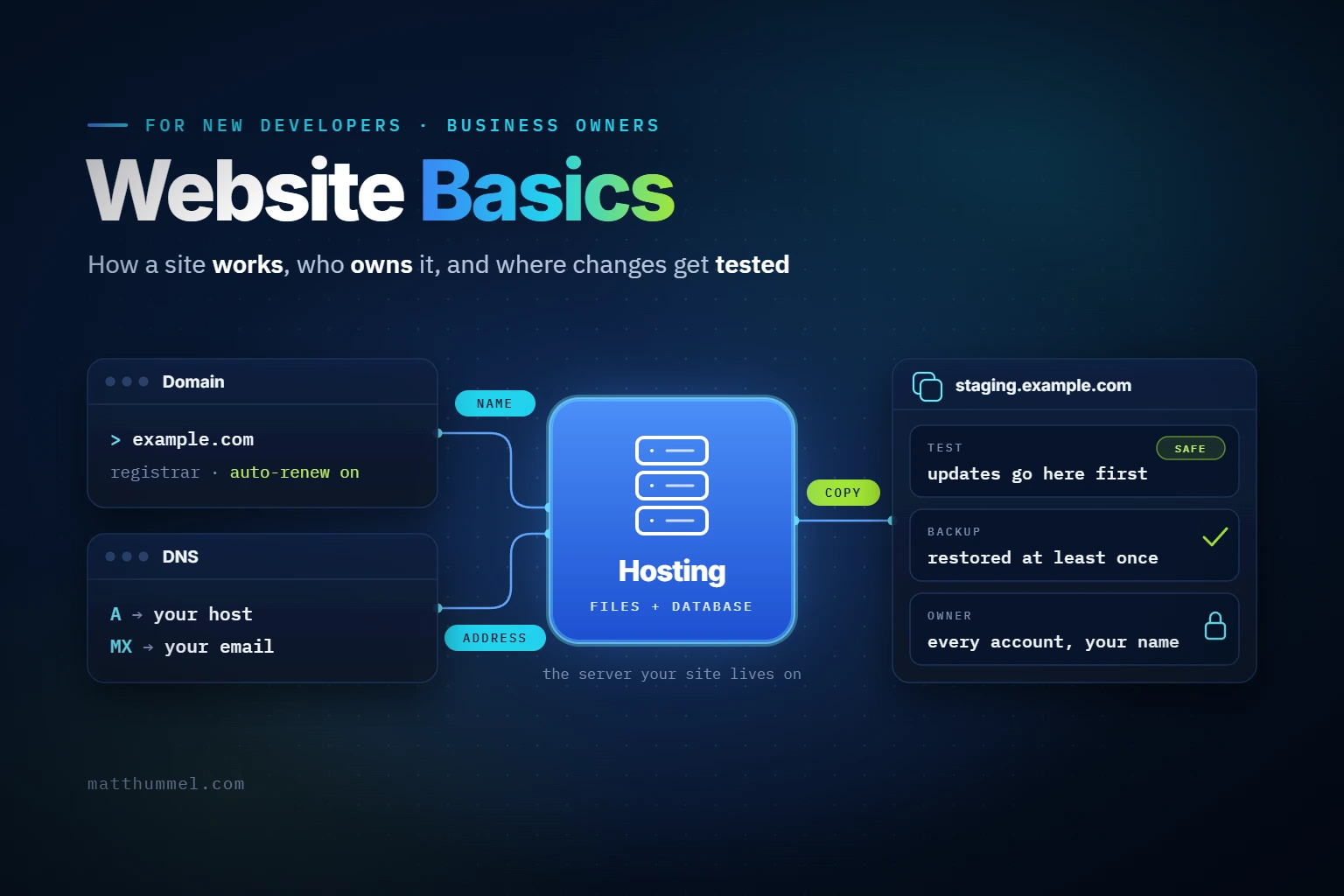
A backup nobody has restored is a guess. A PHP version nobody is watching is a countdown. This group is about the ground the site stands on.
Quick test: restore last night’s backup to staging and open the home page. If nobody knows how, that is the first thing to learn.
3 · The site
The owner does not need to read the code. They need to know where it is, what each moving part does, and which parts cost money every year.
Quick test: submit the contact form from a phone and wait for the email. Then find the sentence in the footer and change one word.
4 · People
Sites die when the one person who knew how to edit them leaves. This group makes sure the knowledge is written down, not remembered.
Quick test: ask the newest person on the team to publish a draft post. Time it. Anything over ten minutes means the guide is missing a step.
5 · After handoff
Handoff day is not the end. The site needs updates, a watcher, and a clear line about what support covers. Write those down before the goodbye call ends.
How to run it
The owner gathers card details and logins ahead of time, so the call is not spent waiting on a password reset.
Share a screen and tick each item live. Change at least one password while you are both watching.
One document the owner keeps, with a date on it. Not a chat thread, not an email the developer sent once.
Renewals move, people leave, plugins get replaced. A yearly pass through the same list catches it.
Get the checklist
Sign up and I will send this checklist to your inbox, so it is there on handoff day. You will also get occasional notes on WordPress work: new posts, release notes, and the other lists I use. First name is optional.
Your address goes to Hostinger Reach, the service that sends these notes, and nowhere else. Details are in the privacy policy.
Questions
No. It is the same list whoever built the site. If an agency or a freelancer is handing a site to you, send them the link and ask them to go through it with you.
No. The whole WordPress handoff checklist is on this page. The email version is for people who want it in their inbox on handoff day, and it comes with the occasional notes.
About an hour on a call when the owner has gathered logins ahead of time. Longer when accounts have to be moved into the owner’s name first, which is common.
Start with group one. Hosting support can usually move an account to the domain owner with proof of ownership. Everything else follows from having that login.
Yes. I take over WordPress sites and finish handoffs that stalled. Start with the project brief or say hello and tell me where it stands.
Available now
I take over WordPress sites and finish handoffs that stalled. Tell me where it stands, or start with the project brief and I will reply with a written scope.
Remote anywhere, Eastern Time.