
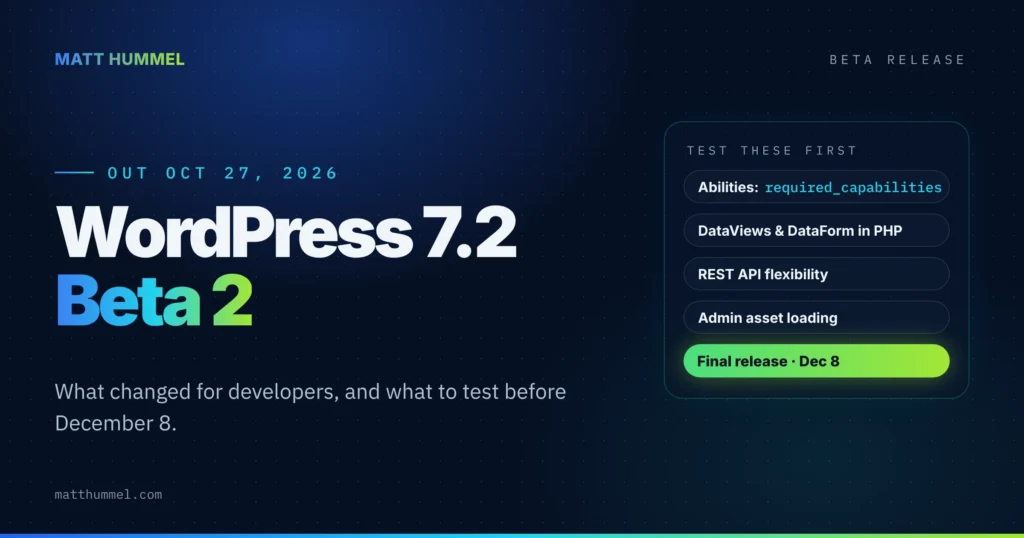
WordPress 7.2 Beta 2 came out on October 27, 2026. It’s a test build, not an update for live sites. It builds on Beta 1 with fixes and refinements, mostly in the developer APIs and the admin. If you tested Beta 1, update your staging site and run your checks again.
This post covers what changed in WordPress 7.2 Beta 2 specifically. For what landed first, read what changed in Beta 1, and for the bigger picture, see my WordPress 7.2 release guide.
WordPress 7.2 release schedule
The schedule has changed since Beta 1. Beta 3 shipped a week early, inside a security release, and Beta 5 and a third release candidate are now on the calendar. The final release date hasn’t moved.
| Milestone | Date |
|---|---|
| Beta 1 | October 20, 2026 |
| Beta 2 | October 27, 2026 |
| Beta 3 | October 28, 2026 (shipped with 7.1.4) |
| Beta 4 | November 3, 2026 |
| Beta 5 | November 10, 2026 |
| Release Candidate 1 | November 17, 2026 |
| Release Candidate 2 | November 24, 2026 |
| Release Candidate 3 | December 1, 2026 |
| Final release | December 8, 2026 |
Should you update live sites to WordPress 7.2 Beta 2?
No. Betas are for testing only. Live sites should be on WordPress 7.1.4, the security release from October 28. If your sites haven’t picked it up automatically, update them now. My Beta 3 post covers what 7.1.4 fixed.
What’s new in WordPress 7.2 Beta 2?
The official announcement groups Beta 2 into one theme: continued improvements to the admin and the developer APIs. The changes:
- Abilities API work. Content querying, capability requirements, and better schema handling and permissions (Trac #66268, Trac #66325).
- Server-side DataViews and DataForm. You can now register DataViews and DataForm pieces from PHP, which gives plugins more ways to extend admin screens.
- REST API flexibility. General improvements to how flexible the REST API is to work with.
- Admin asset loading. More work on loading admin scripts and styles as separate files, which started in Beta 1 (Trac #57548).
- SVG icons in the admin. The move from the Dashicons icon font to modern SVG icons continues. The main proposal ticket is still open, so expect more changes before release (Trac #65089).
What should developers test in WordPress 7.2 Beta 2?
Start with the Abilities API if you register abilities in a plugin. It has the most concrete change in this beta. Then re-run your admin screen checks from Beta 1.
- Abilities can now declare
required_capabilities. Core checks each capability withcurrent_user_can()before yourpermission_callbackruns (Trac #66325). Example below. permission_callbackbecomes optional whenrequired_capabilitieshas at least one capability. An empty list doesn’t count. Public abilities still need'permission_callback' => '__return_true'.- Order of checks: capabilities first, then
permission_callbackwith the input, then thewp_ability_permission_resultfilter on the final result. - Treat
required_capabilitiesas a minimum. Checks that depend on the input, like “can this user edit this post,” still belong inpermission_callback. - REST responses for abilities now include
required_capabilities. If you consume thewp-abilities/v1routes, check your parsing. - Admin screens. With scripts and styles loading separately, re-test any admin code that depends on load order.
- Icon CSS. If your plugin styles
dashicons-*classes in the admin bar or sidebar, keep checking it each beta.
Here’s an ability that only administrators can run, using the new key. It registers on the wp_abilities_api_init hook:
<?php
/**
 * Register an admin-only ability (WordPress 7.2+).
 */
add_action( 'wp_abilities_api_init', function () {
	wp_register_ability(
		'myplugin/get-report',
		array(
			'label'                 => __( 'Get sales report', 'myplugin' ),
			'description'           => __( 'Returns the monthly sales report.', 'myplugin' ),
			'category'              => 'site',
			'output_schema'         => array( 'type' => 'object' ),
			'execute_callback'      => 'myplugin_get_report',
			// New in 7.2: core runs current_user_can() on each of these first.
			// No permission_callback needed when this list isn't empty.
			'required_capabilities' => array( 'manage_options' ),
		)
	);
} );
These details come from the Trac ticket, not a published dev note, so names could still change before RC1. Check the field guide on November 17 before you ship anything that depends on them.
How do I test the beta?
Pick one of these, on a staging or local site with a fresh backup:
- WordPress Beta Tester plugin. Install it, then choose the Bleeding edge channel and the Beta/RC Only stream.
- WP-CLI. Run the command below on the test site.
- WordPress Playground. Open a 7.2 beta instance in your browser. No setup, nothing to break.
wp core update --version=7.2-beta2Beta 2 has already been replaced by newer betas, so if you’re setting up a test site today, install the latest one instead. Found a bug? Report core issues on WordPress Trac and editor issues in the Gutenberg GitHub repository.
WordPress 7.2 Beta 2 FAQ
When is WordPress 7.2 released?
December 8, 2026, at 15:00 UTC. Beta 5 (November 10) and three release candidates (November 17, November 24 and December 1) come first.
What is required_capabilities in the Abilities API?
A new key for wp_register_ability() that lists the capabilities a user needs to run an ability. Core checks them before permission_callback (Trac #66325).
Is WordPress 7.2 Beta 2 safe for a live site?
No. Use it on staging or a local site only. Live sites should run WordPress 7.1.4.
Where do I report a beta bug?
Core bugs go on WordPress Trac. Editor bugs go in the Gutenberg GitHub repository. To talk an issue through first, use the #core-test channel in the Making WordPress Slack.
Before December 8
Test now, while there’s still time to fix things. My WordPress release tracker follows 7.2 through release day, and it has the free 30-check checklist I run on client sites before every major update.
Sources
This roundup is based on the official WordPress 7.2 Beta 2 announcement, the Trac tickets it links, and the Make Core schedule.
- WordPress 7.2 Beta 2 (WordPress News)
- Abilities API: Allow abilities to declare required capabilities (Trac #66325)
- Replace Dashicons icon font with @wordpress/icons SVG components in wp-admin (Trac #65089)
- WordPress 7.2 (Make Core)
- WordPress 7.2 Release Party Schedule (Make Core)


Comments
No comments yet. ASCII, code, and plain punctuation are welcome.