
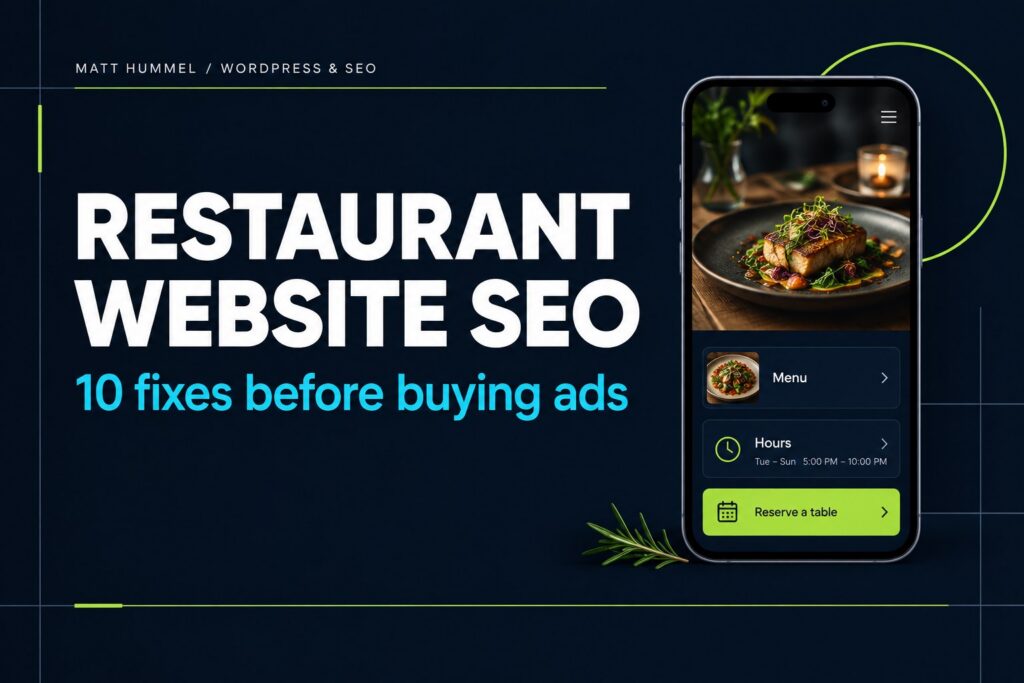
Someone searching for dinner isn’t shopping for an impressive animation. They want to know where you are, whether you’re open, what’s on the menu and how to reserve a table. Restaurant website SEO starts by answering those questions clearly. Paid ads can bring people to your site, but they won’t fix a missing menu, an outdated phone number or a booking button that disappears on mobile. Here are ten improvements I’d make before spending more on clicks.
Three things I’d fix first
| If the website has… | Make this change first |
|---|---|
| A menu that’s only a PDF | Put dish names, prices and sections on a phone-friendly page. |
| Hours hidden in a footer | Show today’s hours by the address and contact details. |
| A hard-to-find booking link | Add a clearly labeled reservation button near the menu. |
1. Give every location a useful page
If you have more than one restaurant, give each location its own useful page. Don’t just swap out the city name.
- Start with the basics: address, phone number and current hours.
- Help people get there: directions, parking and accessibility information.
- Make the next step obvious: booking, ordering or calling that location.
Someone should be able to choose the right location without having to call and ask which one they need.
2. Put opening hours where people can find them
People shouldn’t have to dig through your website to find out if you’re open.
- Show normal opening hours near your address or contact details.
- Update holiday hours before they change.
- Check that your website and Google Business Profile agree.
An accurate hours table is better than an “Open now” label that gets the timezone or holiday schedule wrong.
3. Make the menu actual website content
Example: make the menu useful before someone downloads anything
| Harder to use | Easier to use |
|---|---|
| “View our menu” opens a large PDF | “Food & Drink” opens a readable page with categories and prices. |
| Today’s special is buried in a photo | Today’s special has a name, short description and current price as text. |
| Sold-out items stay listed without a note | Staff mark an item “Sold out today” until it’s available again. |
A printable PDF is fine to offer. It just shouldn’t be the only way to see what you’re serving.
- Put dish names, descriptions and prices directly on the page so they’re readable on a phone.
- Group food into sections, such as starters, mains and desserts.
- Keep prices and sold-out items current. Explain dietary information clearly without promising food is allergen-free.
Your staff should be able to make a menu change without opening a design program. That’s the standard I’d aim for.
4. Write a clear title and description
Think about what someone sees before clicking through from Google.
Example page title: Restaurant Name | Italian Restaurant in [City]
- Say what the restaurant is and where it operates.
- Write a helpful description of the food, location or booking options.
- Skip long strings of city names and repeated keywords.
Google may rewrite the search snippet, so make sure the page itself is just as clear.
5. Match your business information across major profiles
A guest might find you through Google Maps before they ever reach your website. Make sure that first impression is accurate.
- Compare the details: name, address, phone number and website link.
- Keep it current: choose accurate categories and upload real, recent photos.
- Fix mistakes: correct the profiles you actually use rather than creating dozens of new listings.
6. Make reservations and ordering obvious
A guest on their phone should know how to book a table or order food without hunting around.
- Put a Reserve a Table or Order Online link where it’s easy to find.
- Name the outside booking or ordering service when that’s where the button leads.
- Test the whole process on a phone, including the final confirmation.
A nice homepage won’t help much if the booking button goes nowhere.
7. Add restaurant structured data carefully
Where the right information starts
Structured data won’t help if a restaurant’s address or hours are wrong. Start by making the business information accurate.
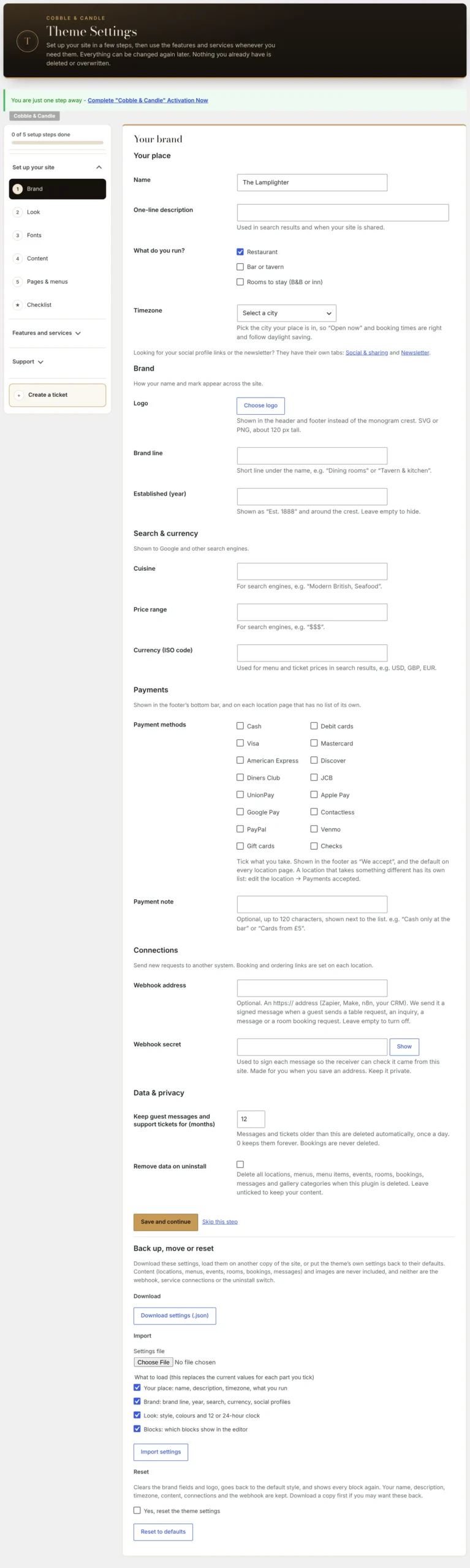
- Brand details: Cobble & Candle has fields for cuisine, price range and timezone.
- Location details: each restaurant has its own address and opening hours.
That distinction is useful when a business has more than one location. The screenshot below shows the theme’s Brand settings.
Restaurant structured data helps search engines understand details such as your location, hours and contact information.
- Make sure the information matches what guests see on the page.
- Never invent opening hours, ratings or reviews.
- Check that your theme and SEO plugin aren’t producing conflicting information.
For more detail, see Google’s LocalBusiness documentation. You don’t need to memorize the code to keep your restaurant information correct.
8. Make photos fast and useful
Good photos can help someone decide where to eat. They shouldn’t make the page painfully slow.
- Show real photos of the food, entrance and dining space.
- Use properly sized images and modern formats where they make sense.
- Write helpful descriptions for meaningful images and leave decorative images out of the way.
- Keep image dimensions set so the page doesn’t jump around while loading.
9. Fix navigation and accessibility
Before worrying about a fancy navigation menu, check that people can actually find what they need.
- Use clear labels: Menu, Hours, Location and Reservations.
- Make links and buttons easy to see and use with a keyboard.
- Label forms clearly, and put essential hours in real text—not inside a photo.
An accessibility overlay doesn’t replace a website that people can use.
10. Measure the actions that matter
Example: a booking button that actually helps
| Unclear | Better |
|---|---|
| “Learn More” | “Reserve a Table” |
| Booking link only on the Contact page | Reservation link near the menu and opening hours |
| Button opens an unfamiliar service without warning | “Book with OpenTable” or another accurate provider name |
Don’t measure success by pageviews alone. Look at what visitors actually try to do.
- Watch key actions: menu visits, calls, reservation clicks and contact inquiries.
- Check Search Console: find the questions and searches bringing people to the website.
- Ask staff: what information are customers still calling to find?
If guests keep asking the same question, that may be the most useful thing to fix next.
Where a better theme fits
A working example from Cobble & Candle
One part I didn’t want owners doing by hand was building the same navigation over and over. Cobble & Candle includes a Pages & menus setup screen that can create missing pages and menu links without replacing pages you already wrote. You can choose the pages and sections before you create them. It’s a practical example of making the next step obvious instead of hiding it in several WordPress menus.
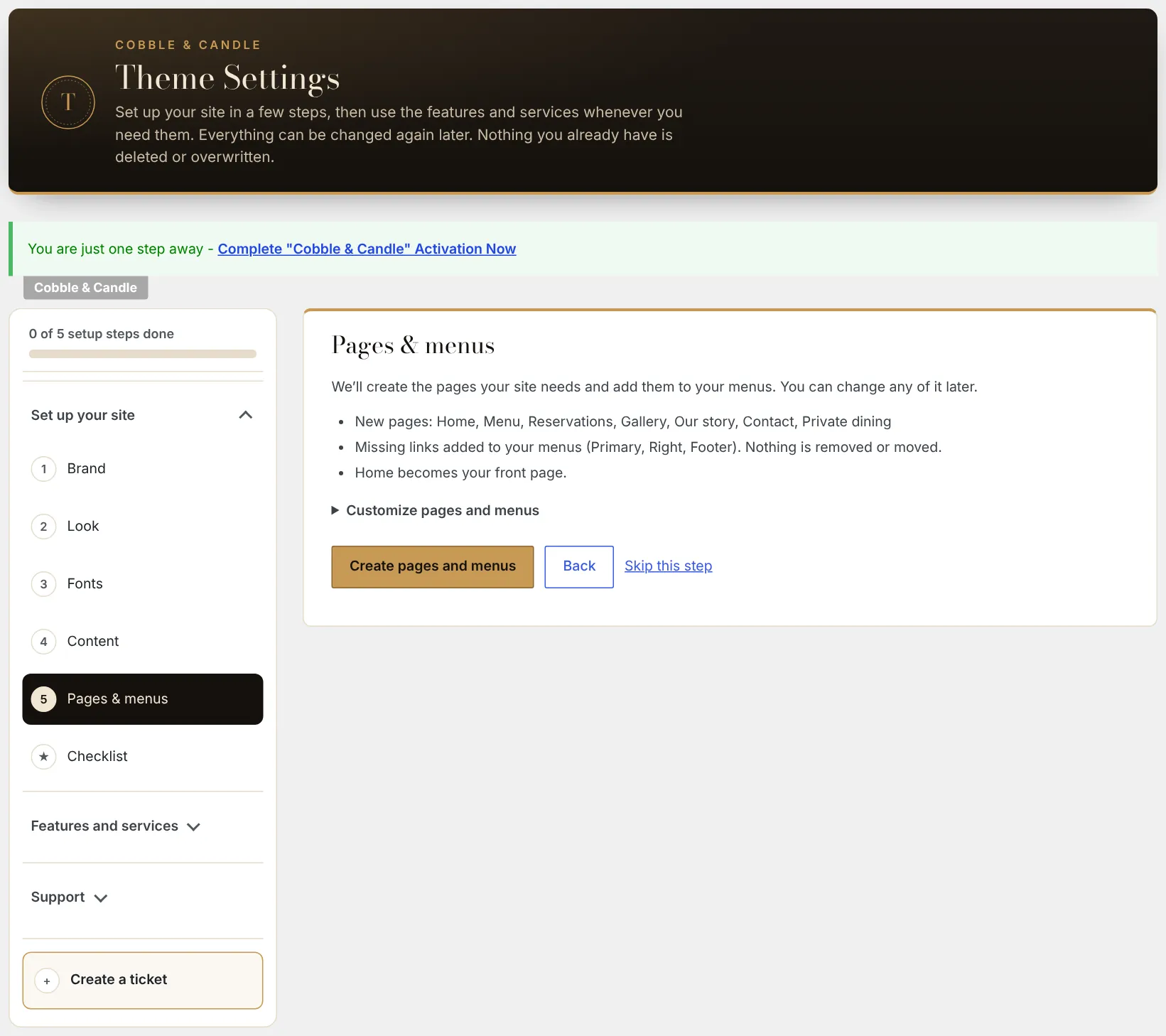
If you’re curious about how the screens work, the public Cobble & Candle documentation includes the setup guides and screenshots. The theme’s source code is private.
I built Cobble & Candle for restaurants, taverns and inns that want to manage menus, opening hours and booking options in WordPress.
It includes restaurant-focused structured data. But a theme can’t replace correct business information, good photography or a reputation you’ve earned with guests.
If you’re looking for a restaurant theme, see what’s included in the current release and try the demo to decide whether it’s a fit.

Comments
No comments yet. ASCII, code, and plain punctuation are welcome.