Theme Restaurants, taverns & inns
Cobble & Candle
Restaurant · tavern · inn
Cobble & Candle is a WordPress block theme for restaurants, taverns, and inns. Guests see live “open now” hours, menus they can filter by diet, and book a table or a room. It is also built for AI search: it publishes your hours, menus, rooms and events as an llms.txt file and as read-only tools, so AI search and assistants can quote them correctly. Owners set it up in a five-step wizard, import a menu from a spreadsheet, and confirm bookings from the dashboard. It is sold as a Pro theme with a yearly license for updates and support.
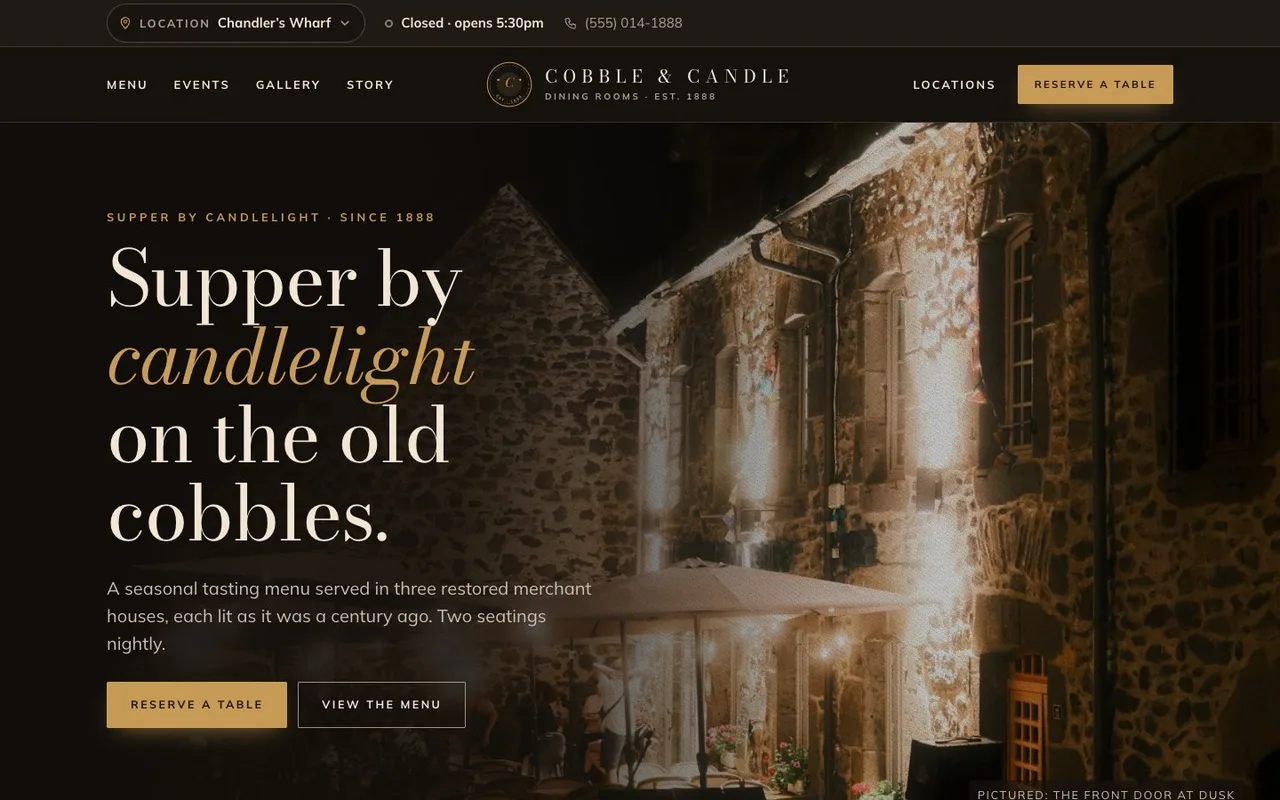
Try these in the demo
- Check today's hours and see when the restaurant opens next.
- Open the menu and try a dietary filter.
- Open the table request form and look through the available times.
- 33 custom blocks
- 4 style directions
- WCAG 2.2 AA tested
Screenshots
What it looks like
Home page with live “Closed · opens 5:30pm” status, location switcher and lamplit hero
Pricing
Choose a plan
Pick how many sites you will run it on. Every plan is a yearly license paid by card, and Freemius sends your receipt and license key.
-
1 site
One site, one license key.
$59.99 per year
- A year of updates
- Email support from me
- 30-day refund if I can’t fix a problem
-
Lowest price per site
5 sites
Up to 5 sites, one license key.
$99.99 per year
About $20.00 per site
- A year of updates
- Email support from me
- 30-day refund if I can’t fix a problem
-
Unlimited sites
Use it on as many of your sites as you like.
$199.99 per year
- A year of updates
- Email support from me
- 30-day refund if I can’t fix a problem
If it has a bug or problem I can’t resolve, you get a refund within 30 days.
What you get
Everything in this build
Restaurant, tavern, and inn owners who want menus, hours, and bookings that stay right without a developer. Agencies that ship hospitality sites.
- Cobble & Candle block theme (33 custom blocks, 13 patterns, 4 style variations)
- Cobble & Candle Core plugin (bundled, one-click install)
- Room booking engine with iCal import and export
- AI search layer: llms.txt, AI crawler rules and read-only assistant tools
- Messages inbox, Status & logs screen
- Owner guide (including AI search and assistants), FAQ, developer hook reference
- Screenshot, readme, licenses, and changelog
- Live “open now” and holiday hours per location, correct on cached pages
- Menus with tabs, section links, diet filters and an allergen key
- Table bookings three ways: native request form with real time slots, OpenTable / Resy, or call-to-book
Show all 24 features Show fewer
- Rooms with an availability calendar, weekend pricing, minimum stay and a running total
- Two-way calendar sync with Airbnb, Booking.com, and Vrbo
- “Add dinner on your first night” when a guest books a room
- Five-step setup wizard with one-click demo import: no WP-CLI
- Menu import and export from Excel or Google Sheets, with a preview
- Every guest request saved in the dashboard even if email fails
- Status page with health checks, test email, error log and a system report
- Four style directions, including a bright café style
- Restaurant, Menu, Event and HotelRoom structured data for Google
- WCAG 2.2 AA tested, right-to-left support, translation-ready
- No page builder, no ACF, fonts bundled locally
- llms.txt and llms-full.txt built from your live hours, menus, rooms and events, rebuilt when you edit
- Read-only assistant tools (WordPress 6.9+): hours, menu with diet and allergen filters, events, rooms and room availability
- robots.txt rules for the published AI crawlers: welcome all, welcome search and assistants only, or leave it alone
Ready when you are
Put Cobble & Candle on your site
Pick a plan, upload the theme, and follow the setup steps below. Want to look around first? Open the live demo.
From $59.99 per year
Story
How it came together
-
Why I built it
Hospitality sites go stale fast. Hours change on holidays, menus change weekly, and most restaurant themes are page-builder demos with static text.
- People now ask AI assistants “is it open tonight?” and “where can I get a vegan dinner?”, and an assistant that finds hours in an image or a PDF menu has to guess.
- An inn with a restaurant downstairs usually needs a second booking plugin and a calendar sync service on top.
-
What I did
I built it as a block theme on Sage 11 with a companion plugin that owns the data: locations, hours, menus, events, rooms and bookings.
- “Open now” is worked out in the visitor’s browser so cached pages stay right. Rooms get a real availability calendar with two-way iCal sync.
- The same data is published for machines as well as people: schema.org structured data, a public JSON menu feed, an llms.txt summary that rebuilds when you edit, robots.txt rules for the published AI crawlers, and five read-only WordPress Abilities (WordPress 6.9 and newer) that an AI assistant can call for hours, the menu, events, rooms and room availability.
- Everything is edited in WordPress itself: the Site Editor for design, short field panels for prices and hours.
-
What you can use
A restaurant, bar or inn gets a site that tells guests whether it is open, what is on the menu, and lets them request a table or a room in under a minute, and gives AI search and assistants the same answers in a form they can read.
- The live demo is at cobbleandcandle.matthummel.com with fiction content. It is sold as a yearly Pro license.
- Say hello if you want me to set it up for you.
Under the hood
Stack, architecture, and handoff
Specs
-
Stack
- Sage
- WordPress
- Gutenberg
- Full Site Editing
- Alpine.js
- Tailwind
-
Languages
- PHP
- Blade
- CSS
- JavaScript
- Compatible WordPress 6.6+ (tested up to 7.1), PHP 8.3+
- License GPLv2 or later
- Release 1.6.0
- Topics wordpress-theme, restaurant, bar, inn, bed-and-breakfast, booking, block-theme, sage
Architecture
- Sage 11 block theme (Acorn, Blade, Tailwind v4, Vite, Alpine.js) with 33 server-rendered blocks, 13 patterns, 15 templates and four Site Editor style variations (Lampwright, Ember & Arch, Ashlar & Iron, Daylight).
- Cobble & Candle Core plugin (bundled, one-click install) holds locations, menus, events, rooms, bookings and messages as custom post types with REST-registered fields.
- Booking engine availability endpoint, pending → confirmed requests, hourly iCal import and a private export feed per room.
- Restaurant, Menu, Event, HotelRoom, Organization, WebSite and BreadcrumbList schema, joined to Yoast or Rank Math when present.
- AI search layer in the Core plugin /llms.txt and /llms-full.txt generated from live data (cached an hour, rebuilt on edit), a robots.txt policy for the published AI crawlers (welcome all, welcome search and assistant crawlers only, or leave alone), and five read-only WordPress Abilities for the MCP Adapter (hours and open now, menu with diet and allergen filters, events, rooms, room availability).
- No AI service is called and no data leaves the site.
- WCAG 2.2 AA, right-to-left languages, translation-ready.
Palette
-
Lamp-black
#15110D -
Smoke
#201A14 -
Brass
#C79A55 -
Parchment
#F2E6D3 -
Oxblood
#5C2A22
These are the theme’s default colors. You can change them in the theme settings.
Setup
Install and set up
6 steps from the zip file to a site that is ready to open.
-
Check the basics
You need WordPress 6.6 or newer and PHP 8.3 or newer; most hosts offer 8.3. Set Post name permalinks and your city timezone in Settings → General. Make sure your site can send email. WP Mail SMTP helps if your host’s mail is unreliable.
-
Upload and activate the theme
In WordPress, go to Appearance → Themes → Add New → Upload Theme. Choose cobbleandcandle.zip, then Install and Activate.
-
Enter your license key
The first time you activate the theme, enter the key from your purchase email on the license screen. Updates and support come with an active license. If it expires, your site keeps working.
-
Let Cobble & Candle Core install
The core plugin is bundled inside the theme and installs itself the first time you open the dashboard. It holds your locations, menus, events, rooms and bookings, so they survive a theme change. If your host blocks the automatic install, click Install & activate Cobble & Candle Core.
-
Run the setup wizard
Settings → Theme Settings walks you through Brand, Look, Fonts, Content, Pages & menus and a Checklist. Import the demo to see everything working, or start with your own location. You can stop and come back; re-running a step never duplicates pages.
-
Make it yours
Set opening hours for each location, import your menu from a spreadsheet, upload your logo, and send a test email from Tools → Cobble & Candle status. Then replace the demo photos and delete the demo content you do not need.
Questions
Common questions
Is Cobble & Candle a WordPress restaurant theme?
Yes. It is a WordPress block theme for restaurants, taverns, and inns, with menus, live opening hours, table bookings, events, private dining, and rooms to stay, built without a page builder.
Can I buy Cobble & Candle?
Yes. Pick a plan for 1 site, 5 sites or unlimited sites and check out on this page. Each plan is a yearly license that includes updates and email support. If it has a bug or problem I can't resolve, you get a refund within 30 days.
Does it handle rooms for a B&B or inn?
Yes. Rooms have nightly and weekend prices, a minimum stay, and an availability calendar. Guests send a booking request, you confirm it from the dashboard, and the guest gets an email. Calendars sync both ways with Airbnb, Booking.com, and Vrbo.
Does it take payments?
No, on purpose. Table and room bookings are requests you confirm, so there is no card handling or refund process to manage. Link your online-ordering system for takeout.
Will my hours be right for Google and AI search?
Each location publishes Restaurant structured data with opening and holiday hours, address, map coordinates, cuisine and price range. It works alongside Yoast SEO or Rank Math. The same hours feed your llms.txt file and the assistant tools, so they never disagree.
Can I import my menu?
Yes. Food & drink → Import / export takes a CSV from Excel or Google Sheets, shows a preview of what will be added or updated, and never deletes anything.
Is it accessible?
It is built and tested for WCAG 2.2 AA: keyboard paths, screen-reader labels, contrast in all four styles, 44 px touch targets and reduced motion. It also supports right-to-left languages.
What do I need to run it?
WordPress 6.6 or newer and PHP 8.3 or newer. Caching plugins such as LiteSpeed Cache and WP Rocket are supported.
Is Cobble & Candle an AI theme?
It is built for AI search, not by AI and not powered by an AI service. It does not call a model or write your content. It publishes your hours, menus, rooms and events in forms AI search and assistants can read: structured data, a JSON menu feed, an llms.txt file, robots.txt rules for AI crawlers, and read-only tools for assistants.
Which AI services does it work with?
The crawler rules name the published crawlers of OpenAI, Anthropic, Perplexity, Google, Apple, Meta and others. Structured data and llms.txt are open formats any service can read; whether a given service uses them is up to that service. The assistant tools use WordPress’s Abilities API and the Model Context Protocol, so an assistant that supports MCP connectors can use them once the MCP Adapter plugin is installed. Nothing here promises a ranking or a citation.
What do I need for the assistant tools?
WordPress 6.9 or newer, and WordPress’s MCP Adapter plugin to connect an assistant. On older WordPress the tools are simply not there and the rest of the theme, including llms.txt and the crawler rules, works as normal. The tools are read-only and answer only from what your public pages already show: nothing can be booked or changed.
How is this better than a standard WordPress theme?
A standard restaurant theme leaves it to you: hours and menus as text, images or a PDF; an llms.txt you would write and keep current by hand; robots.txt edits for each AI crawler; and no way for an assistant to ask for tonight’s hours or whether a room is free. Cobble & Candle keeps all of that in step with the pages you already edit.
Feedback
Questions before you buy
Leave a public note or write me privately. I read every reply.
Visitor feedback
Like or star this project, or leave a note below.
Ask about Cobble & Candle
Name, email, and a few sentences. This goes straight to my inbox.
More projects
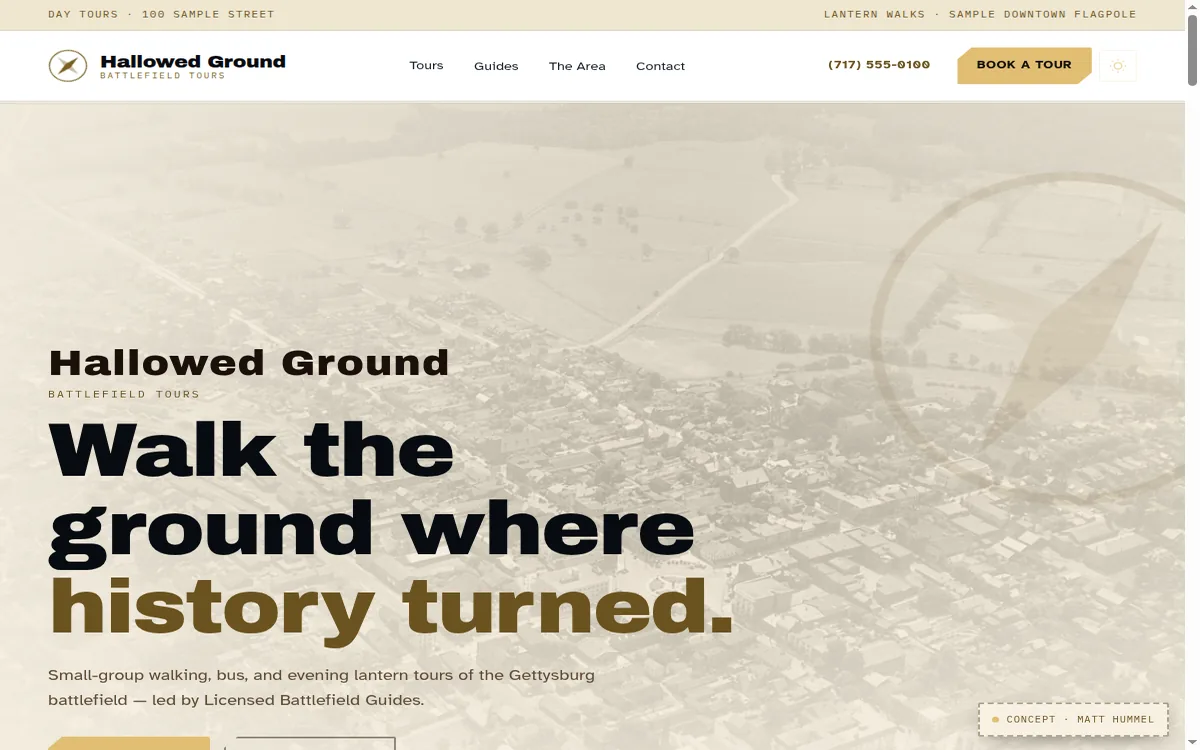
Theme Tour sites
WalkRidge
For tour companies with licensed guides. Visitors browse your tours, meet your guides, and book and pay online.
Sage WordPress WooCommerce Gutenberg +1 more tool: Customizer
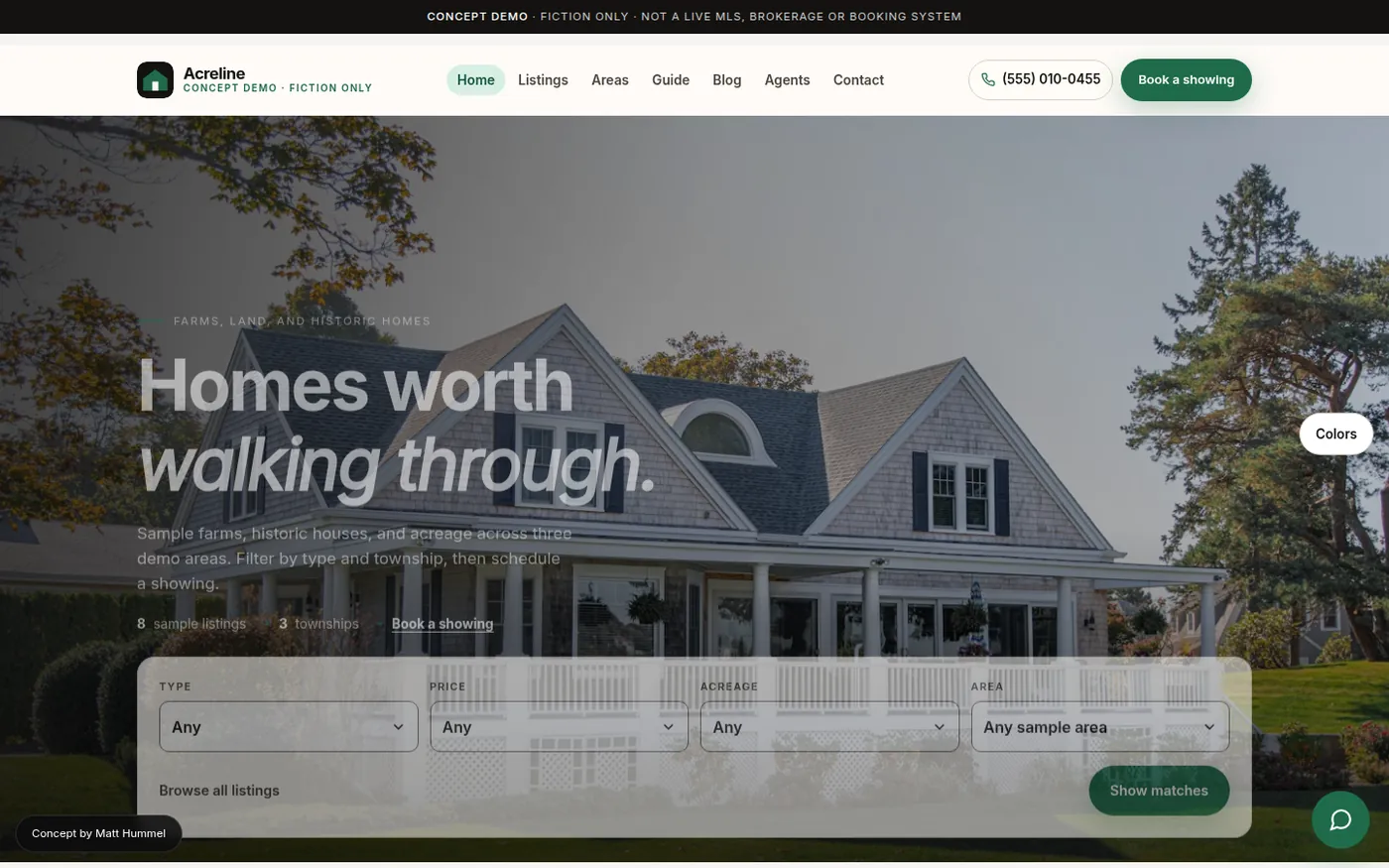
Theme Real estate
Acreline
For real estate agents and small teams. Show your listings on a map, introduce your agents, and take showing requests, all on pages you can edit yourself.
Sage WordPress Gutenberg Customizer
Done for you
Want it set up for you?
Send me a note about your site and I will reply with what a setup involves. I usually reply within one business day (ET).
Remote · within one business day (ET)
Visitor notes
No visitor notes yet. Say what you would change, or what you liked. ASCII, code, and plain punctuation are welcome.