Theme Restaurants, taverns & inns
Cobble & Candle
Restaurant · tavern · inn
Cobble & Candle is a WordPress restaurant theme for restaurants, taverns, cafés and inns. Guests see live “open now” hours, filter the menu by diet, order online, and request a table or a room. Owners set it up in five guided steps with one-click demo content, import a menu from a spreadsheet, and confirm bookings from the dashboard. It is a Pro theme with a yearly license for updates and email support.
- 33 custom blocks
- 4 style directions
- WCAG 2.2 AA tested
Screenshots
What it looks like
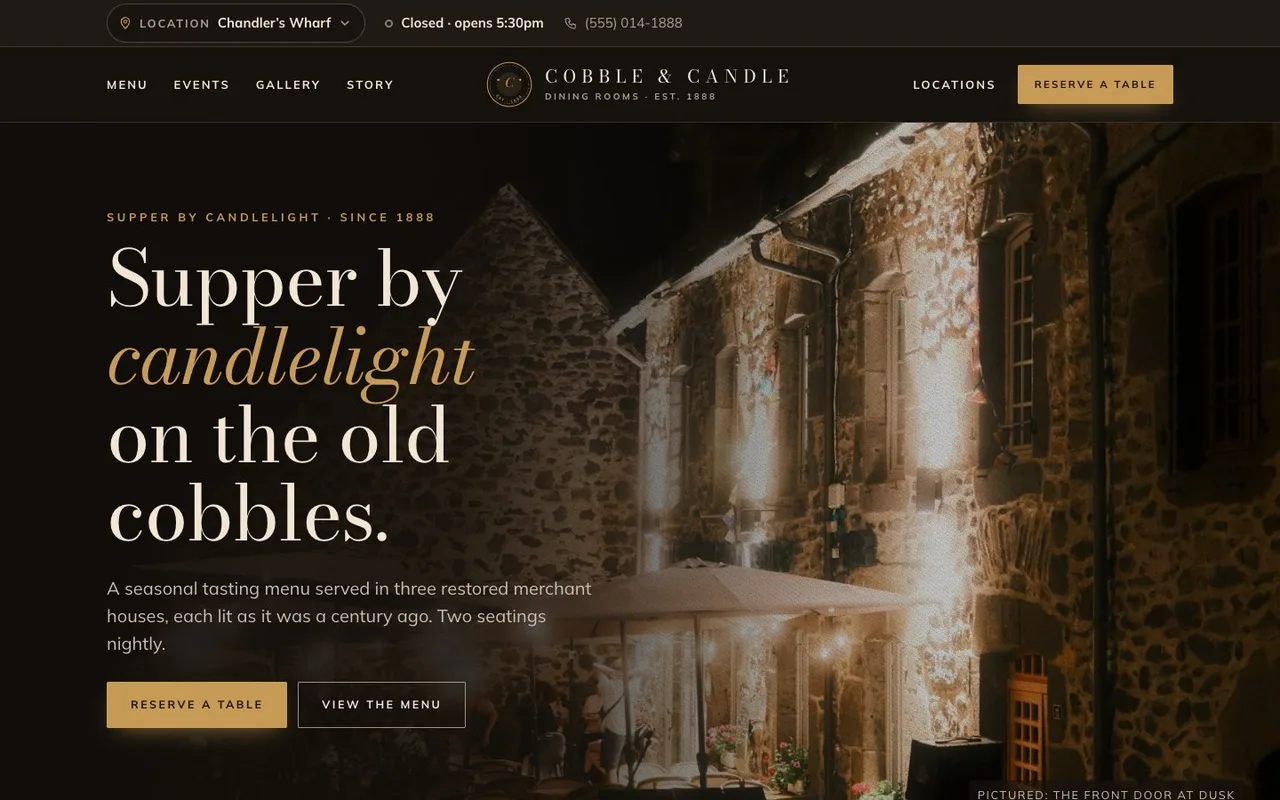
Home page with live “Closed · opens 5:30pm” status, location switcher and lamplit hero
Pricing
Choose a plan
Pick how many sites you will run it on. Every plan is a yearly license paid by card, and Freemius sends your receipt and license key.
1 site
One site, one license key.
$59.99 per year
- A year of updates
- Email support from me
- 30-day refund if I can’t fix a problem
-
Lowest price per site
5 sites
Up to 5 sites, one license key.
$99.99 per year
About $20.00 per site
- A year of updates
- Email support from me
- 30-day refund if I can’t fix a problem
Unlimited sites
Use it on as many of your sites as you like.
$199.99 per year
- A year of updates
- Email support from me
- 30-day refund if I can’t fix a problem
If it has a bug or problem I can’t resolve, you get a refund within 30 days.
What you get
Everything in this build
Independent restaurants, taverns, cafés, bed & breakfasts and small inns, with one location or several, who want menus, hours and bookings that stay right without a developer. Agencies building hospitality sites get a clean block theme with documented hooks.
- Cobble & Candle block theme (33 blocks, 13 patterns, 15 templates, 4 style variations)
- Cobble & Candle Core plugin, bundled and installed for you
- Three demo home pages: restaurant, tavern and B&B
- Room booking engine with two-way iCal sync
- Five-step setup with demo content and photos
- Journal (blog), newsletter sign-up and share buttons
- Menu CSV import / export and a public JSON menu feed
- Messages inbox, bookings dashboard, Status & logs
- Public owner guide, FAQ and developer hook reference
- Readme, licences, credits and changelog
Show all 35 features Show fewer
- Live “open now” and holiday hours per location, correct on cached pages
- Menus with tabs, section links, diet filters, an allergen key, calories and “Sold out today”
- Table bookings three ways: native request form with real time slots, a service like OpenTable, Resy, SevenRooms or Tock, or call-to-book
- Order online buttons named for your service: Toast, Square, ChowNow, DoorDash, Uber Eats, Grubhub and more
- Rooms with an availability calendar, weekend pricing, minimum stay and a running total
- Two-way calendar sync with Airbnb, Booking.com, Vrbo and any iCal link
- “Add dinner on your first night” when a guest books a room
- Several locations: guests pick a house, and hours, menus, phone and booking follow
- Five-step setup in Theme Settings with one-click demo import: no WP-CLI
- Restaurant, Menu, Event and HotelRoom structured data, joined to Yoast or Rank Math
- Events with an archive, a home page strip and an Eventbrite connection
- A full Journal (blog) with posts set up for search and sharing
- Newsletter sign-ups for Mailchimp, Brevo, MailerLite, Kit or Constant Contact, or a list kept on your site
- Share buttons and social icons drawn inline: no icon font, no extra requests
- Menu import and export from Excel or Google Sheets with a preview, plus a JSON menu feed
- Every guest request saved in the dashboard even if email fails, and optionally sent to another system by webhook
- Owner guides and a support ticket form inside WordPress
- Status page with health checks, test email, error log and a system report
- Click tracking ready for Google Tag Manager
- Accepted payments and legal links in the footer, site-wide or per location
- Four style directions, including a bright café style
- Content lives in the Core plugin, so it survives a theme change
- Bookings and messages join WordPress’s privacy export and erase tools
- WCAG 2.2 AA tested, right-to-left support, translation-ready (WPML and Polylang)
- No page builder, no ACF, no jQuery, fonts bundled locally
Ready when you are
Put Cobble & Candle on your site
Pick a plan, upload the theme, and follow the setup steps below. Want to look around first? Open the live demo.
From $59.99 per year
Story
How it came together
-
Why I built it
Hospitality sites go stale fast.
- Hours change on holidays, menus change weekly, and most marketplace restaurant themes ship a page builder, opening hours typed into a text block, a paid booking widget in an iframe, and no structured data for Google.
- An inn with a restaurant downstairs usually needs a second booking plugin and a calendar sync service on top.
-
What I did
I built it as a block theme on Sage 11 with a companion plugin, Cobble & Candle Core, that holds locations, hours, menus, events, rooms and bookings.
- The plugin owns the data and the theme owns the look, so a redesign never wipes out a menu. “Open now” is worked out in the visitor’s browser, so cached pages stay right.
- Rooms get a real availability calendar with two-way iCal sync. Everything is edited in WordPress itself: the Site Editor for design, and plain forms for dishes, events, rooms and hours.
-
What you can use
A restaurant, bar, café or inn gets a site that tells guests whether it is open, what is on the menu, and lets them order or request a table or a room in under a minute.
- Owners get the guides inside WordPress under Theme Settings → Support, plus a ticket form when they need help.
- The live demo at cobbleandcandle.matthummel.com runs on sample content and switches between restaurant, tavern and B&B. It is sold as a yearly Pro license.
- Say hello if you want me to set it up for you.
Under the hood
Stack, architecture, and handoff
Specs
-
Stack
- Sage
- WordPress
- Gutenberg
- Full Site Editing
- Alpine.js
- Tailwind
-
Languages
- PHP
- Blade
- CSS
- JavaScript
- Compatible WordPress 6.6+ (tested up to 7.1), PHP 8.3+
- License GPLv2 or later
- Release 1.5.1
- Topics wordpress-theme, restaurant, restaurant-theme, cafe, tavern, bar, inn, bed-and-breakfast
Architecture
- Sage 11 block theme (Acorn, Blade, Tailwind v4, Vite, Alpine.js) with 33 server-rendered blocks, 13 patterns, 15 templates and four Site Editor style variations (Lampwright, Ember & Arch, Ashlar & Iron, Daylight).
- No page builder, no ACF and no jQuery on the front end; fonts are bundled, so pages make no Google Fonts requests.
- Cobble & Candle Core plugin (bundled, one-click install) holds locations, menus, events, rooms, bookings and messages as custom post types, so content survives a theme switch.
- Booking engine availability endpoint, pending → confirmed requests, hourly iCal import and a private export feed per room.
- Restaurant, Menu, Event, HotelRoom, Organization, WebSite and BreadcrumbList schema, joined to Yoast or Rank Math when present.
- Unique cobble_ prefix, documented filters and actions, and WP-CLI commands for developers.
- WCAG 2.2 AA, right-to-left languages, translation-ready.
Palette
-
Lamp-black
#15110D -
Smoke
#201A14 -
Brass
#C79A55 -
Parchment
#F2E6D3 -
Oxblood
#5C2A22
These are the theme’s default colors. You can change them in the theme settings.
Setup
Install and set up
6 steps from the zip file to a site that is ready to open.
-
Check the basics
You need WordPress 6.6 or newer and PHP 8.3 or newer; most hosts offer 8.3. Set Post name permalinks and your city timezone in Settings → General. Make sure your site can send email. WP Mail SMTP helps if your host’s mail is unreliable.
-
Upload and activate the theme
In WordPress, go to Appearance → Themes → Add New → Upload Theme. Choose cobbleandcandle.zip, then Install and Activate.
-
Enter your license key
The first time you activate the theme, enter the key from your purchase email on the license screen. Updates and support come with an active license. If it expires, your site keeps working.
-
Let Cobble & Candle Core install
The core plugin is bundled inside the theme and installs itself the first time you open the dashboard. It holds your locations, menus, events, rooms and bookings, so they survive a theme change. If your host blocks the automatic install, click Install & activate Cobble & Candle Core.
-
Run the setup wizard
Settings → Theme Settings walks you through Brand, Look, Fonts, Content, Pages & menus and a Checklist. Import the demo to see everything working, or start with your own location. You can stop and come back; re-running a step never duplicates pages.
-
Make it yours
Set opening hours for each location, import your menu from a spreadsheet, upload your logo, and send a test email from Tools → Cobble & Candle status. Then replace the demo photos and delete the demo content you do not need.
Questions
Common questions
Is Cobble & Candle a WordPress restaurant theme?
Yes. It is a WordPress block theme for restaurants, taverns, cafés and inns, with menus, live opening hours, table bookings, online ordering links, events, private dining, a journal, and rooms to stay, built without a page builder.
Can I buy Cobble & Candle?
Yes. Pick a plan for 1 site, 5 sites or unlimited sites and check out on this page. Each plan is a yearly license that includes updates and email support. If it has a bug or problem I can't resolve, you get a refund within 30 days.
Do I need a page builder?
No. Everything is WordPress blocks and the Site Editor. No Elementor, no ACF, no jQuery.
Does it handle rooms for a B&B or inn?
Yes. Rooms have nightly and weekend prices, a minimum stay, and an availability calendar. Guests send a booking request, you confirm it from the dashboard, and the guest gets an email. Calendars sync both ways with Airbnb, Booking.com, and Vrbo.
Can I run several restaurants or locations?
Yes. Add each one as a location. Guests choose a house in the header, and hours, menus, phone number and booking follow their choice.
I only run a bar or a café. Is it too much?
No. Sections only appear when you have content for them. No rooms means no Rooms page, no Stay button and no “Stay with us” section.
Which booking and ordering services does it work with?
Paste the link your service gives you; no API key or partner account needed. It recognises OpenTable, Resy, SevenRooms, Tock and Yelp for tables; Toast, Square, ChowNow, Olo, DoorDash, Uber Eats and Grubhub for ordering; and Cloudbeds, Lodgify, Beds24 and others for rooms. Anything else still works as a plain link.
Does it take payments?
No, on purpose. Table and room bookings are requests you confirm, so there is no card handling or refund process to manage. For deposits, send a payment link; for takeout, link your online-ordering system. You can still list the payment methods you accept in the footer.
Will my hours be right for Google?
Each location publishes Restaurant structured data with opening and holiday hours, address, map coordinates, cuisine and price range. It works alongside Yoast SEO or Rank Math.
Can I import my menu?
Yes. Food & drink → Import / export takes a CSV from Excel or Google Sheets, shows a preview of what will be added or updated, and never deletes anything.
Will my content survive a theme change or an update?
Yes. Locations, menus, events, rooms and bookings live in the Cobble & Candle Core plugin and the database, so theme updates never touch them.
Can I collect newsletter sign-ups?
Yes. Connect Mailchimp with an API key, use the form address from Brevo, MailerLite, Kit or Buttondown, paste Constant Contact’s form code, or keep the list on your site and download it.
Is it accessible?
It is built and tested for WCAG 2.2 AA: keyboard paths, screen-reader labels, contrast in all four styles, 44 px touch targets and reduced motion. It also supports right-to-left languages.
Does it work in other languages?
Yes. Every string is translatable, .pot files ship with the theme, it works with WPML and Polylang, and right-to-left languages like Arabic and Hebrew are supported.
What do I need to run it?
WordPress 6.6 or newer and PHP 8.3 or newer. Caching plugins such as LiteSpeed Cache and WP Rocket are supported.
Can I read the documentation before I buy?
Yes. The owner guides are public on GitHub, and the same guides show inside WordPress under Settings → Theme Settings → Support.
Can you set it up for me?
Yes. Send me a note through the form on this page and I will reply with what a setup involves.
Feedback
Questions before you buy
Leave a public note or write me privately. I read every reply.
Visitor feedback
Like or star this project, or leave a note below.
Ask about Cobble & Candle
Name, email, and a few sentences. This goes straight to my inbox.
More projects
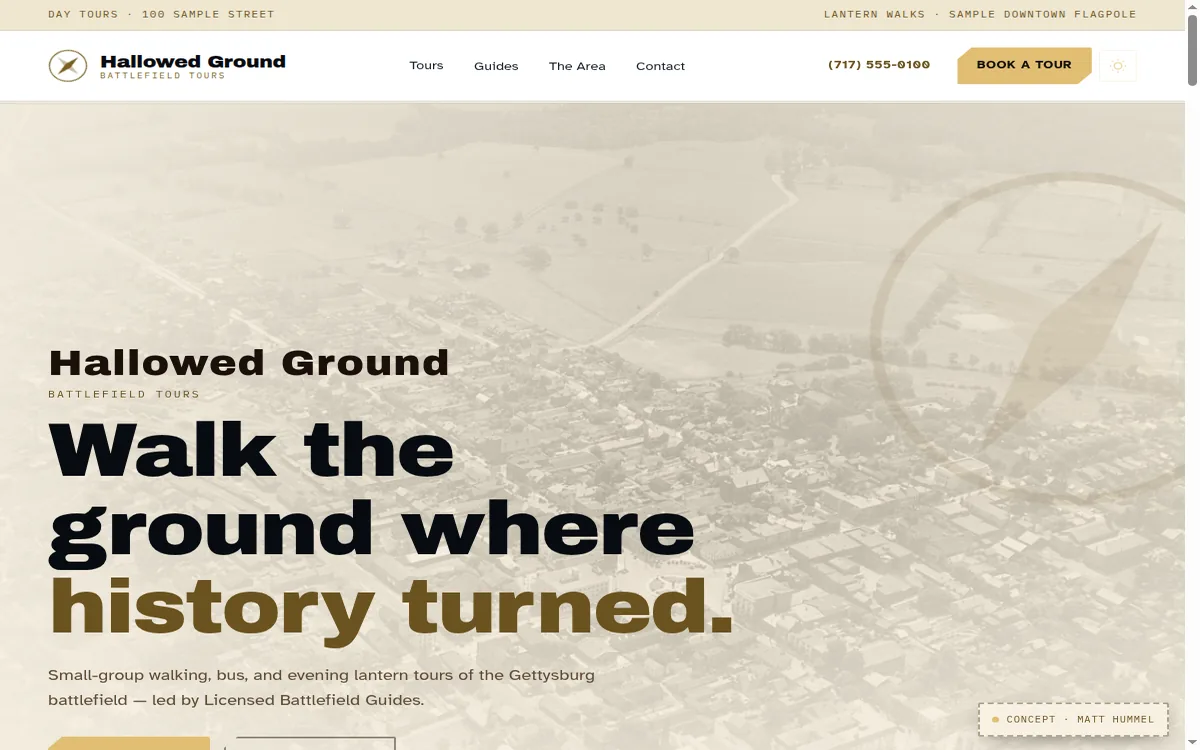
Theme Tour sites
WalkRidge
For tour companies with licensed guides. Visitors browse your tours, meet your guides, and book and pay online.
Sage WordPress WooCommerce Gutenberg +1 more tool: Customizer
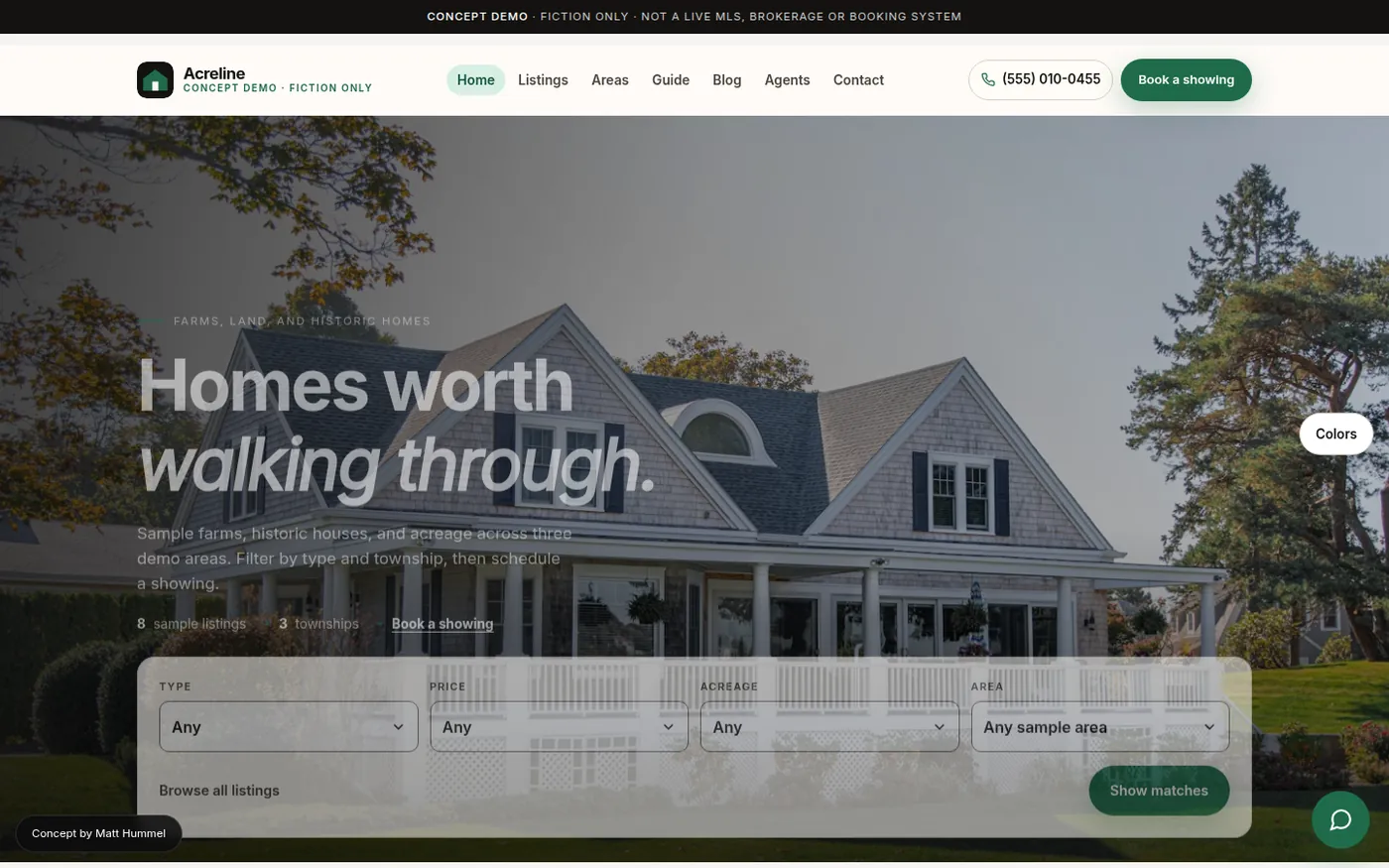
Theme Real estate
Acreline
For real estate agents and small teams. Show your listings on a map, introduce your agents, and take showing requests, all on pages you can edit yourself.
Sage WordPress Gutenberg Customizer
Done for you
Want it set up for you?
Send me a note about your site and I will reply with what a setup involves. I usually reply within one business day (ET).
Remote · within one business day (ET)
Visitor notes
No visitor notes yet. Say what you would change, or what you liked. ASCII, code, and plain punctuation are welcome.